





ChatGPT and Claude just learned 3D
Printable parts with dimensions you can tweak, figurines and game assets, even rigged and animated characters. Ask in ChatGPT, Claude or your code editor, attach a photo or a 3D file, and the model shows up right in the conversation.
https://grandpacad.com/mcpcreate_model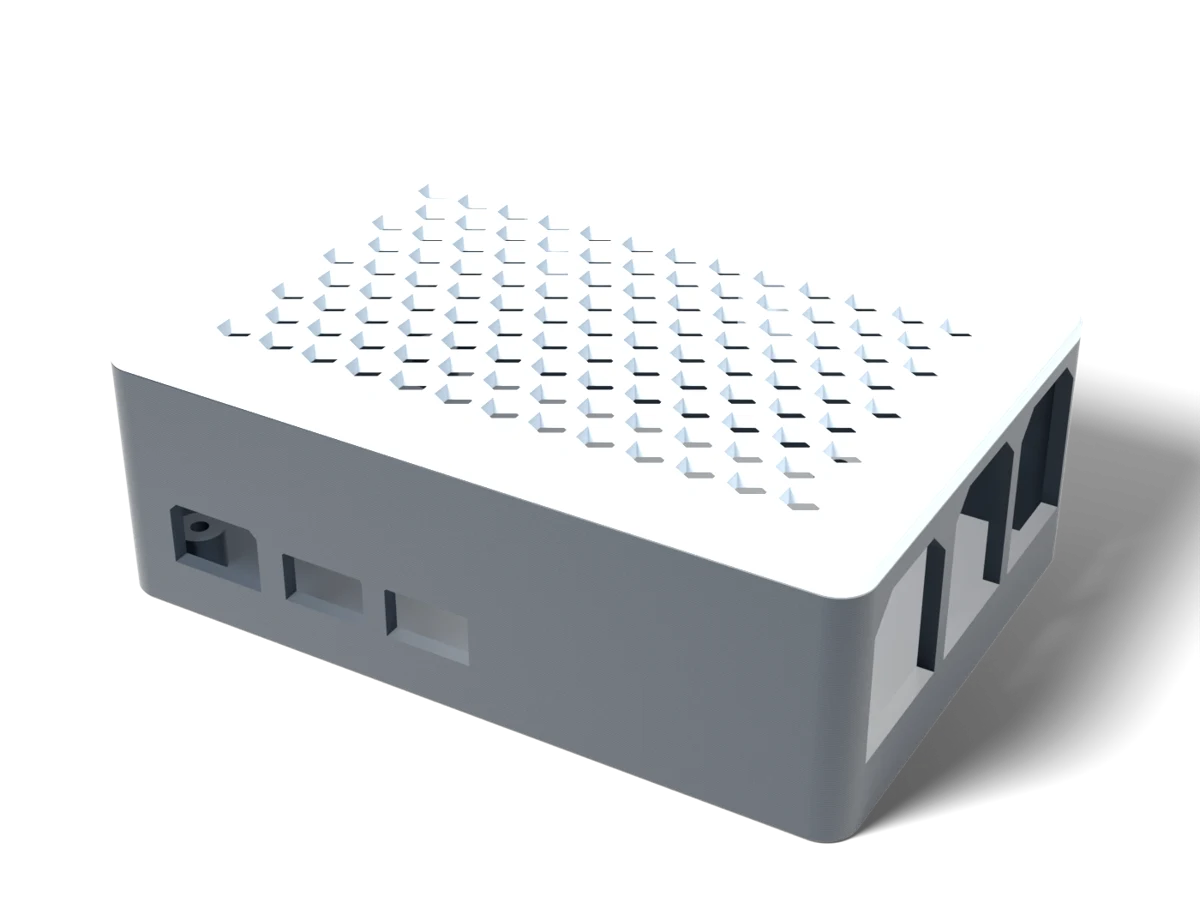 91 × 62 × 32 mm · 3MF
What it makes
Much more than brackets
3D printing comes first, but the same designer builds game assets and animated characters too.
Made for 3D printingPrintable parts that fit
Brackets, enclosures, replacement parts and organisers, in real millimetres. This Raspberry Pi 5 case came from one sentence: it looked up the board, left room for the cooler, and fixed its own port cut-outs before handing it over.
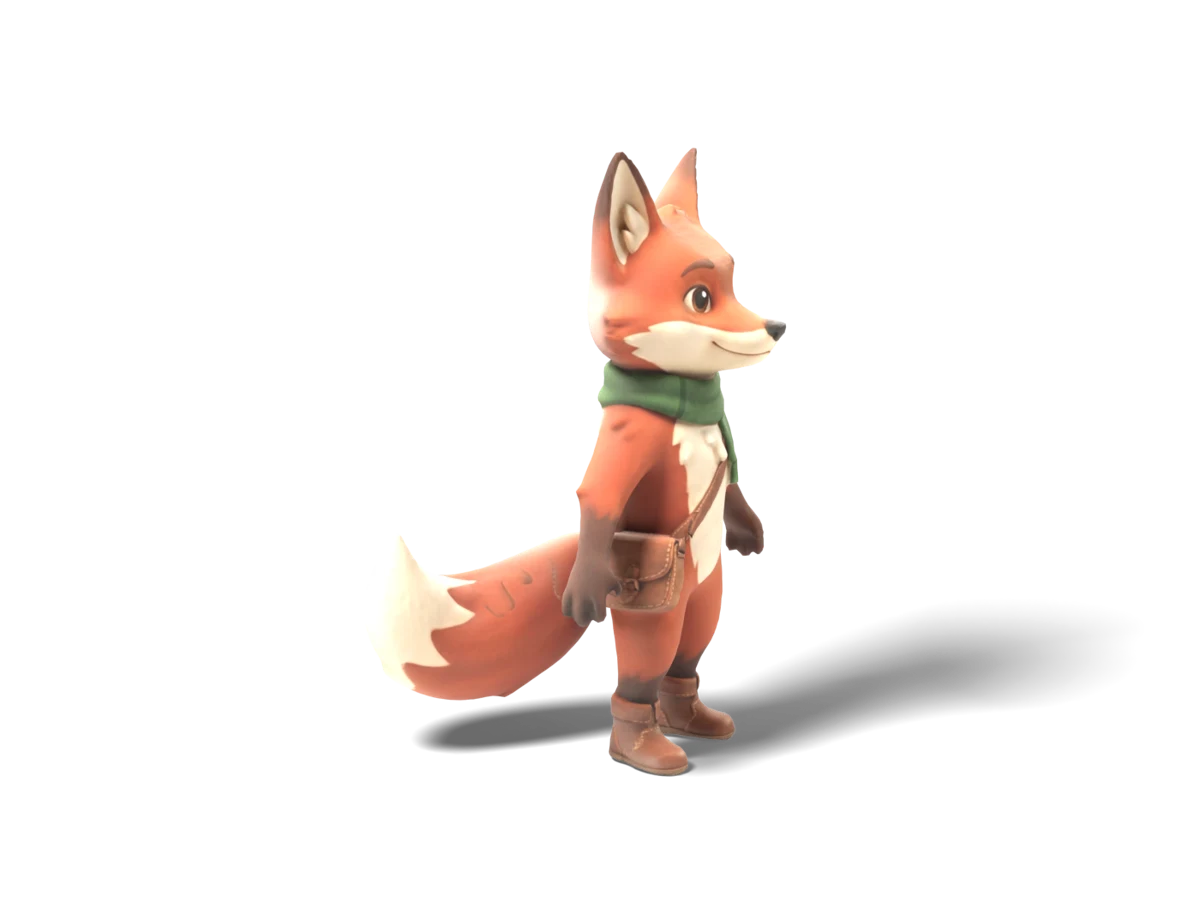 Game-ready, textured
Characters, figurines and game assets
Textured models from a sentence or a photo, at the triangle count you ask for. A GLB for Unity, Godot or Blender, or a multi-colour 3MF to print.
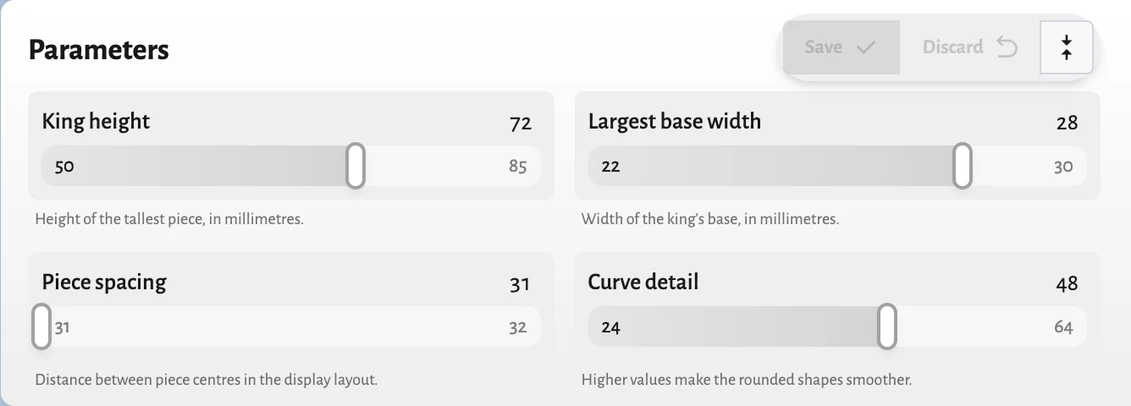
Parametric, so you can keep tuning
Every dimension that matters gets a name. Slide the wall thickness or the hole spacing and it rebuilds in seconds, without using a generation.
Your own files
Attach a model to repair it, resize it, add a base or cut it in two.
Then make it move
Give a character a skeleton, then describe the moves. You get a GLB with named animation clips, ready for Unity, Godot or Blender.
Connect
Pick your assistant
Every app uses the same server address. You sign in to GrandpaCAD once, the first time you connect.
ChatGPT
Plugin coming soonWe're submitting GrandpaCAD to ChatGPT's plugin directory, so soon it's one click. Until then, connect it by hand:
- 1Open Settings, then Security and login, and turn on Developer mode.
- 2Go to chatgpt.com/plugins and press the plus button.
- 3Paste the server address, choose OAuth, and sign in to GrandpaCAD when asked.
Orodja
What your assistant can do
GrandpaCAD gives your assistant five tools. Your assistant writes the brief; the modelling happens on GrandpaCAD.
create_modelStarts a new model from a description, photos or a 3D file of yours. The designer may ask a question or two first.
revise_modelChanges a model in plain words, answers the designer's questions or approves a bigger job. Attach a file to rig or animate it.
get_model_jobChecks on a model that's still building and returns it when it's done.
Read-onlyset_model_parametersSets a named dimension, like a depth or a hole spacing, and rebuilds in seconds.
list_my_modelsLists the models you made recently, so you can pick one up.
Read-onlyFree to start
New accounts get 3 free generations. After that it uses your plan, the same as on the website. Downloading files is part of the paid plans.
A minute or three per model
If something's unclear, GrandpaCAD asks first and your assistant passes the question on. The viewer in the chat updates by itself when the model is ready.
Your models stay
Every model also lands in your GrandpaCAD dashboard, so you can open it in the full editor any time.
You stay in control
Your assistant only sees the brief, GrandpaCAD's replies and the model's size and parameters. Disconnect an app any time in Settings, under Connected apps.
Common questions
Can ChatGPT make 3D models?
Not on its own, but it can with GrandpaCAD connected. ChatGPT writes a brief from your request and GrandpaCAD builds the model: a printable part in real millimetres as 3MF or STL, or a textured GLB for games. The model shows up in the chat in a 3D viewer you can turn around.
Does it work with Claude, Cursor and VS Code?
Yes. GrandpaCAD is a standard MCP server, so it works in Claude (web, desktop and mobile, as a custom connector), Claude Code, Cursor, VS Code and any MCP client that supports OAuth. Every app connects to the same server address and you sign in to GrandpaCAD once.
What is an MCP server?
MCP (Model Context Protocol) is the open standard AI assistants use to connect to outside tools. GrandpaCAD's MCP server gives your assistant five tools: create a model, change it, set its dimensions, check on a build and list your models.
Is it free?
New accounts get 3 free generations. After that it uses your GrandpaCAD plan, the same as on the website. Changing a named dimension rebuilds the model without using a generation. Downloading files is part of the paid plans.
Can I attach a photo or my own STL?
Yes. Attach photos or sketches to work from, or an STL, GLB, 3MF or OBJ file up to 32 MB to repair, resize, change, rig or animate. In ChatGPT you attach the file; in other assistants you paste a public link to it.
How long does a model take?
Most models take one to three minutes. If something important is unclear, GrandpaCAD asks first and your assistant passes the question on. The viewer in the chat updates by itself when the model is ready.
Can it rig and animate characters?
Both are in alpha. Ask your assistant to rig a character and you get a skeleton with skin weights in the same GLB; ask for a walk or a wave and it adds a named animation clip. Bones have generic names and there are no finger or face rigs, so expect to clean up anything hero-grade.
What does my assistant see?
Only the brief it writes, GrandpaCAD's replies, and the model's size and parameters. Your models are saved in your GrandpaCAD account, and you can disconnect an assistant at any time in Settings, under Connected apps.
Ready when your assistant is
Create a free account now, or connect first and sign up when your assistant asks.