




Works great
- A sketch or drawing of the part you want
- A photo of a broken piece you need to replace
- A logo or silhouette to emboss, cut, or turn into a badge
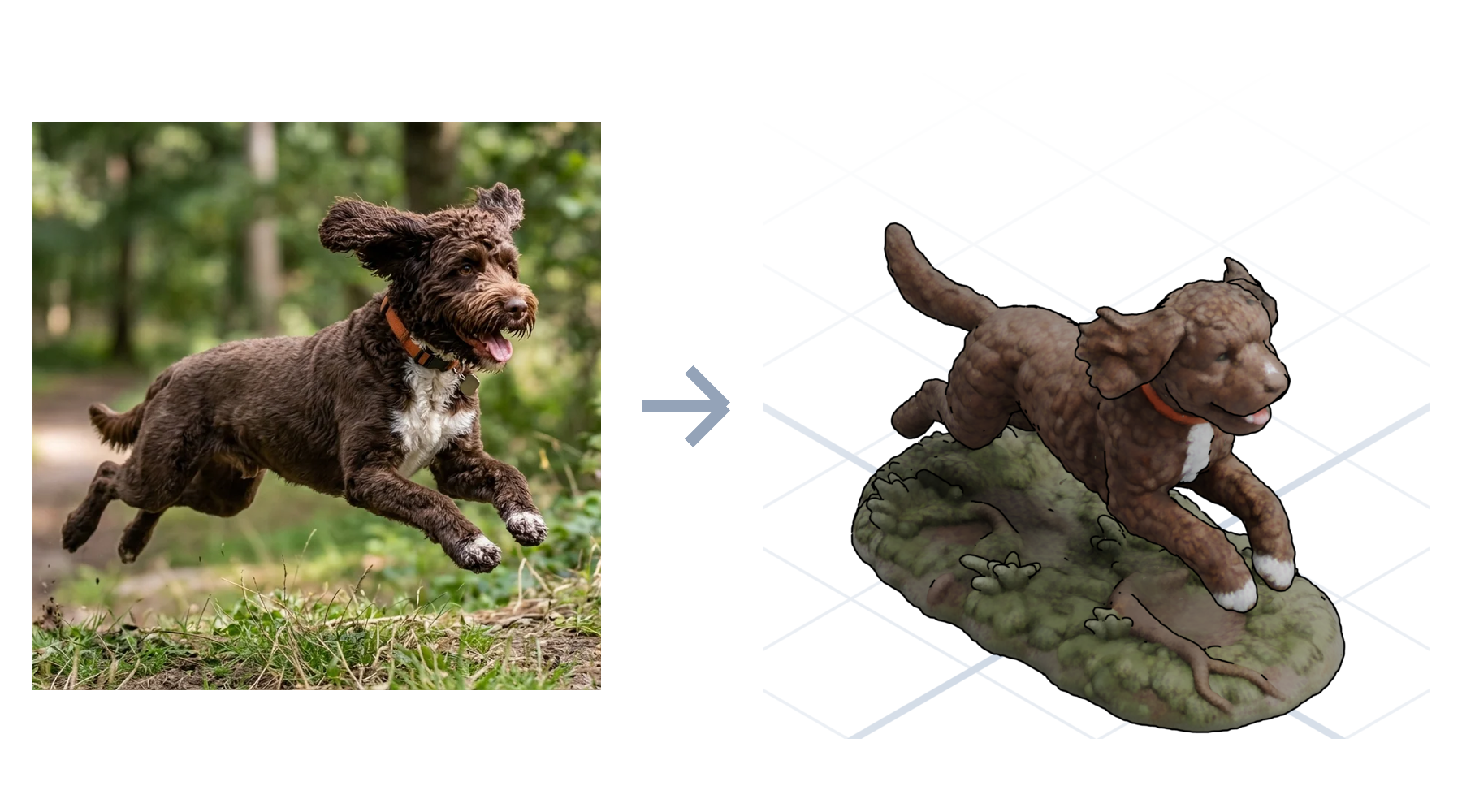
- A photo of a pet or object to sculpt as a figurine
Drop in a photo, a sketch, or a reference and describe the part. GrandpaCAD generates a printable, editable 3D file, not a messy scan you can never change.
Začnite brezplačno - Brez kreditne kartice
Razmišljanje...
"Image to 3D" means two different jobs, and most tools only do one. GrandpaCAD reads your image and picks the right engine: parametric CAD for parts, organic sculpting for characters. You can also just tell it which one you want.
Sketch to CAD
Sketch the part on paper, photograph it, and give the dimensions in chat. The AI compiles a parametric model with real millimetres: threads, chamfers, clearances. This is image to 3D CAD, not a traced outline.
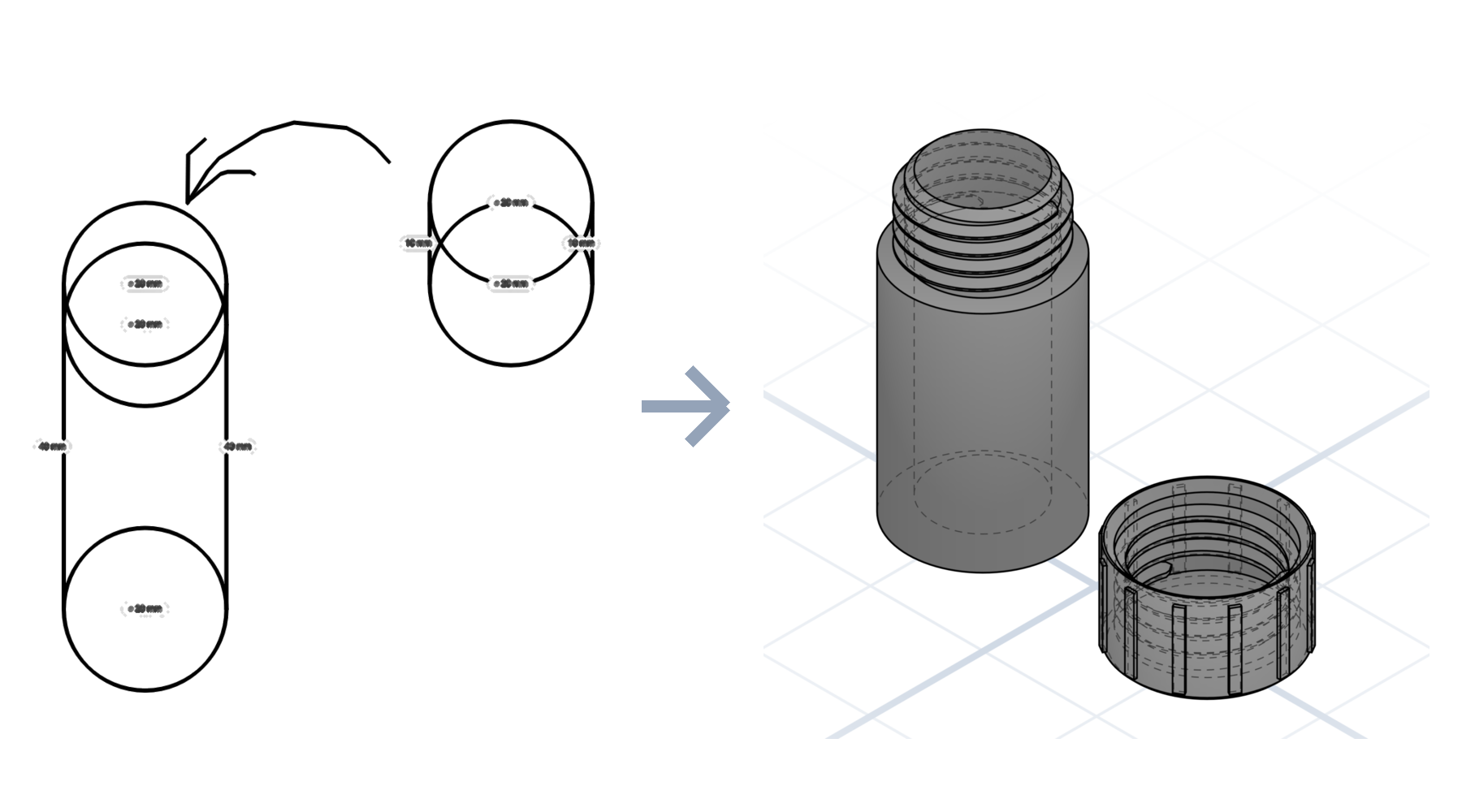
Photo to organic
Turn a picture into a 3D model of the sculpted kind: a photo of your dog becomes a printable figurine with color regions already segmented for a multi-material printer. No sculpting, no manual painting.
How it works
A sketch, a photo, a spec drawing, or a logo.
Give the dimensions and the fit; the AI builds to match.
Adjust any dimension with a slider, then download and print.
What to expect
Most "image to 3D" tools hand you a lumpy mesh you can't edit and can't print cleanly. GrandpaCAD reads your image for intent, then generates a real model you can keep adjusting in plain English until it fits.
The differentiator
Photogrammetry and mesh generators produce geometry that is frozen the moment it lands. GrandpaCAD output stays live: change the hole spacing, thicken a wall, or resize the whole part with a sentence, and the geometry rebuilds cleanly.
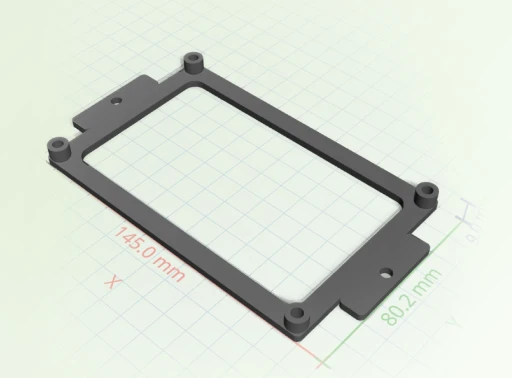
Most image-to-3D tools optimize for game assets. We optimize for parts you actually print and can edit later.
 GrandpaCAD GrandpaCAD | Photogrammetry apps | Mesh AI generators | |
|---|---|---|---|
| Output | Editable parametric model | Dense static scan | Un-editable mesh |
| Print-ready | Watertight, slices clean | Needs heavy repair | Often non-manifold |
| Change it later | One sentence | Re-scan the object | Start over |
| Input needed | One image plus a sentence | Dozens of photos | A text prompt only |
Open any model in the public library and tell the AI what to change. No account needed to look around.
Všeč ustvarjalcem
Neurejene povratne informacije iz poziva za oceno v aplikaciji. Prikazujemo le državo, da ohranimo anonimnost ustvarjalcev.
"generated a printable design on the first try!"
"Fast easy and good quality"
"It's working good. Grandpa!"
"yay so fun"
Povzeto iz resničnih odgovorov na anketo CSAT v aplikaciji GrandpaCAD.
To orodje je bilo ustvarjeno za mojega dedka, ki obožuje 3D tiskanje, vendar ima težave s kompleksnimi programi za modeliranje. Ne govori angleško, zaradi česar je večina orodij za 3D oblikovanje zanj nedostopnih.
Kljub tem izzivom je navdušen nad ustvarjanjem 3D tiskanih modelov za našo družino. Uporablja svoj BambuLab A1 tiskalnik in zdaj lahko preprosto ustvarja prilagojene modele z enostavnim opisovanjem tega, kar želi.
Preberite njegovo zgodbo
V vsakem paketu nastanejo enaki modeli enake kakovosti. Razlika je v tem, koliko jih ustvarite in koliko nadzora želite. Prilagajanje dokončanega modela z drsniki se nikoli ne šteje kot generacija.
Samo da dobite občutek. Izpis je enake kakovosti kot pri vsakem plačljivem paketu.
Za en sam projekt. Določeno število generacij, brez ponavljajočega se plačila.
Za zahtevne uporabnike, ki želijo celotno platformo in več generacij, kot jih bodo realno porabili.
Yes. Drop in a photo and GrandpaCAD generates a sculpted, full-color model from it. It works best when the subject is clear: a pet, a character, an object on a plain background. You get a watertight mesh that slices without repair.
Upload the sketch, then describe the part and its key dimensions in the chat. The AI reads the shape from your drawing and compiles a parametric model to the millimetres you give it. Every dimension stays adjustable afterward.
Yes, and that's the point. Parametric parts expose every measurement as a slider, and any model can be changed by asking in plain English: make it taller, add a hole, thicken a wall. Tweaking never costs a generation.
STL, 3MF, OBJ, GLB, and GLTF. The 3MF loads 1:1 in Bambu Studio, PrusaSlicer, and Orca, with multi-color models already split into filament regions.
You get 3 free generations with no credit card, at the same output quality as every paid plan. After that, credit packs start at $12 and subscriptions at $24 a month.
3 free models, no credit card. See what the AI makes of your first image.