




Works great
- A sketch or drawing of the part you want
- A photo of a broken piece you need to replace
- A logo or silhouette to emboss, cut, or turn into a badge
- A photo of a pet or object to sculpt as a figurine
Drop in a photo, a sketch, or a reference and describe the part. GrandpaCAD generates a printable, editable 3D file, not a messy scan you can never change.
Start Free - No Credit Card Required
Thinking...
"Image to 3D" means two different jobs, and most tools only do one. GrandpaCAD reads your image and picks the right engine: parametric CAD for parts, organic sculpting for characters. You can also just tell it which one you want.
Sketch to CAD
Sketch the part on paper, photograph it, and give the dimensions in chat. The AI compiles a parametric model with real millimetres: threads, chamfers, clearances. This is image to 3D CAD, not a traced outline.
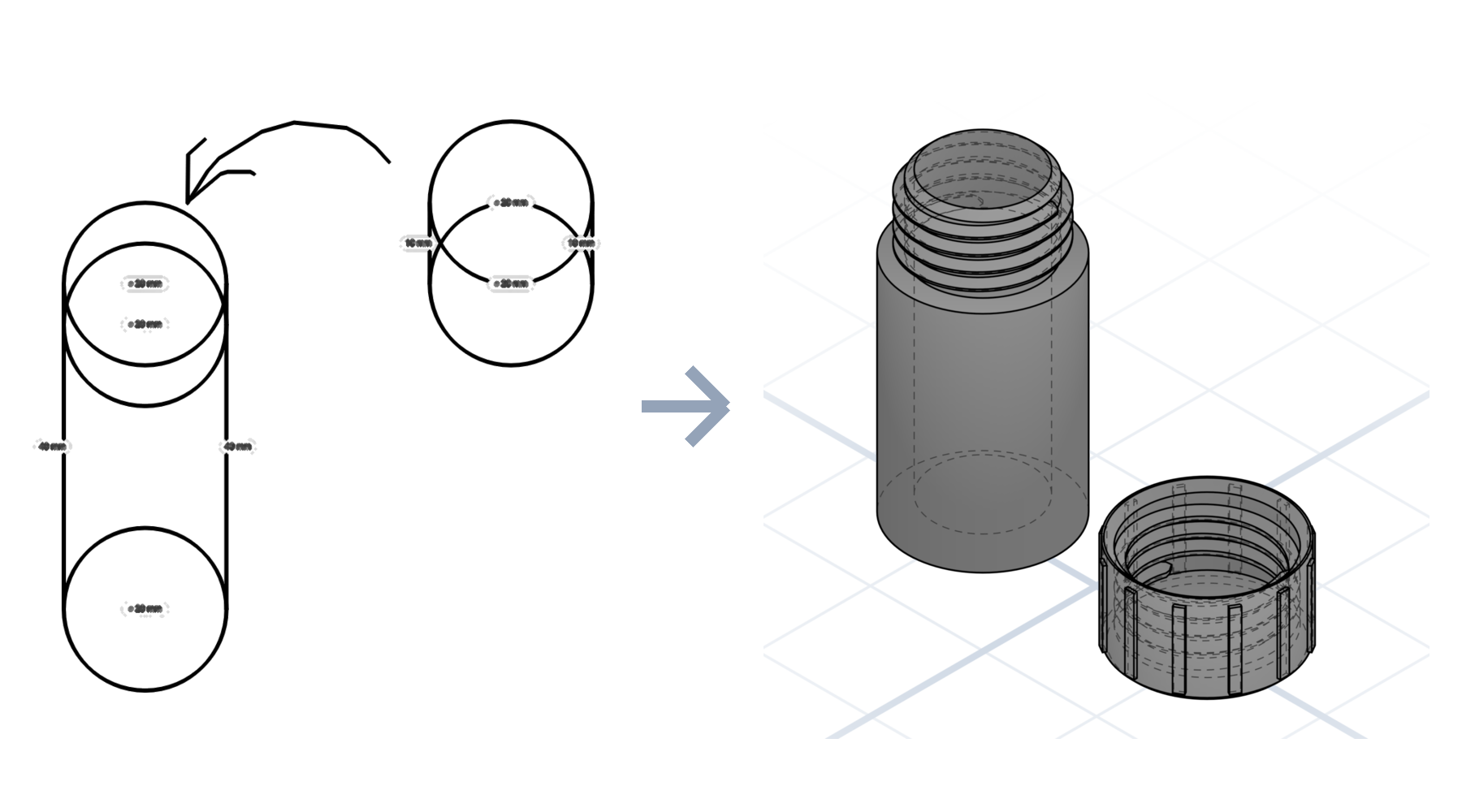
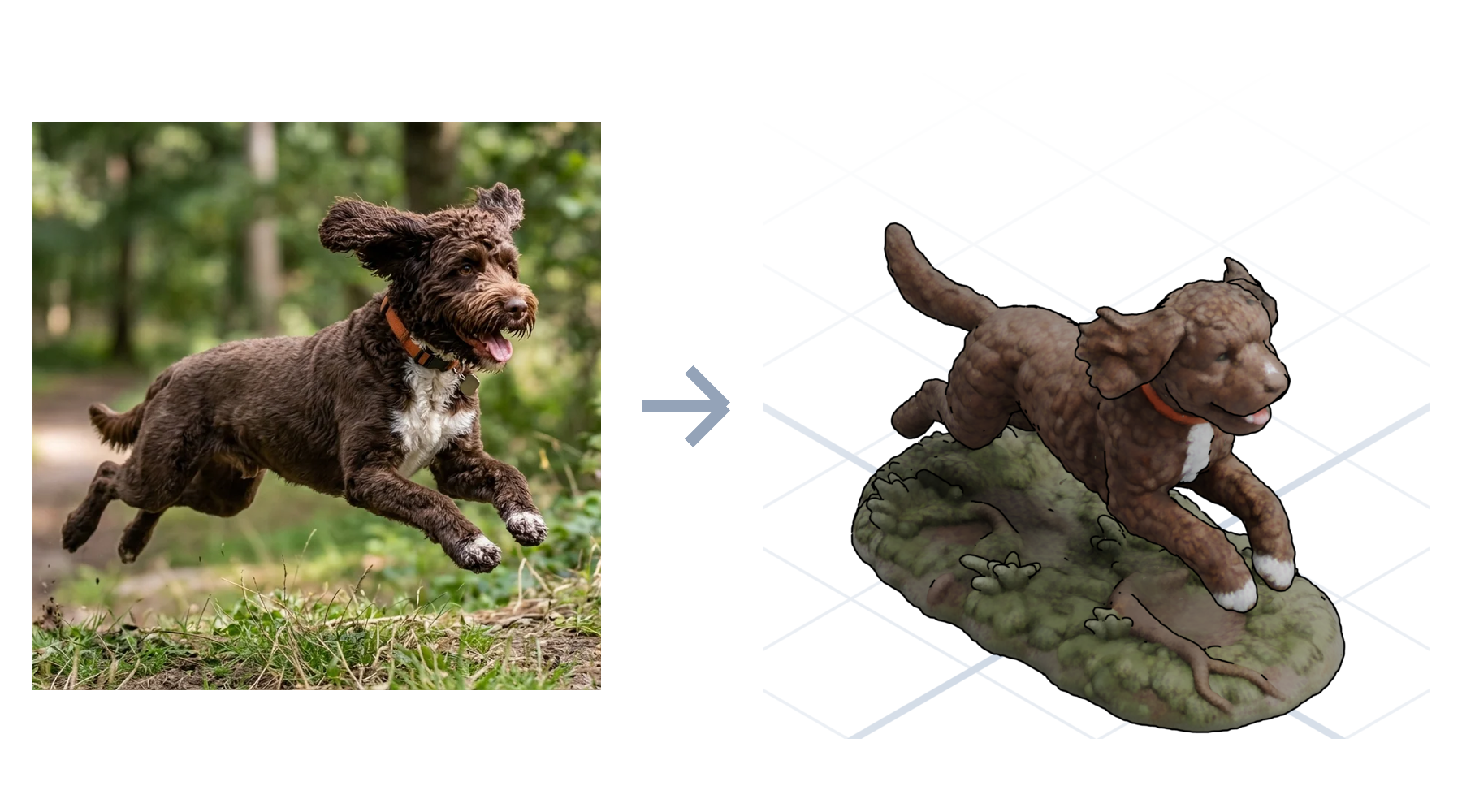
Photo to organic
Turn a picture into a 3D model of the sculpted kind: a photo of your dog becomes a printable figurine with color regions already segmented for a multi-material printer. No sculpting, no manual painting.
How it works
A sketch, a photo, a spec drawing, or a logo.
Give the dimensions and the fit; the AI builds to match.
Adjust any dimension with a slider, then download and print.
What to expect
Most "image to 3D" tools hand you a lumpy mesh you can't edit and can't print cleanly. GrandpaCAD reads your image for intent, then generates a real model you can keep adjusting in plain English until it fits.
The differentiator
Photogrammetry and mesh generators produce geometry that is frozen the moment it lands. GrandpaCAD output stays live: change the hole spacing, thicken a wall, or resize the whole part with a sentence, and the geometry rebuilds cleanly.
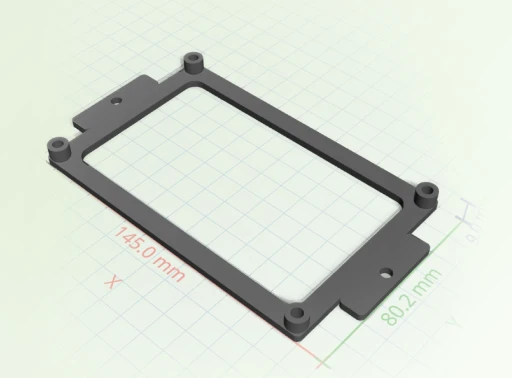
Most image-to-3D tools optimize for game assets. We optimize for parts you actually print and can edit later.
 GrandpaCAD GrandpaCAD | Photogrammetry apps | Mesh AI generators | |
|---|---|---|---|
| Output | Editable parametric model | Dense static scan | Un-editable mesh |
| Print-ready | Watertight, slices clean | Needs heavy repair | Often non-manifold |
| Change it later | One sentence | Re-scan the object | Start over |
| Input needed | One image plus a sentence | Dozens of photos | A text prompt only |
Open any model in the public library and tell the AI what to change. No account needed to look around.
Loved by makers
Unedited feedback from the in-app rating prompt. We only show country to keep makers anonymous.
"generated a printable design on the first try!"
"Fast easy and good quality"
"It's working good. Grandpa!"
"yay so fun"
Pulled from real CSAT survey responses inside the GrandpaCAD app.
This tool was created for my grandfather who loves 3D printing but struggles with complex modeling software. He doesn't speak English, which makes most 3D design tools inaccessible to him.
Despite these challenges, he's passionate about creating 3D prints for our family. He uses his BambuLab A1 printer and now can easily create custom models by simply describing what he wants.
Read His Story
Every plan generates the same models at the same quality. The difference is how much you generate and how much control you want. Tweaking a finished model with the sliders never counts as a generation.
Just to get a feel for it. The output is the same quality as every paid plan.
For a single project. A fixed number of generations, no recurring charge.
For power users who want the full platform and more generations than they will realistically use.
Yes. Drop in a photo and GrandpaCAD generates a sculpted, full-color model from it. It works best when the subject is clear: a pet, a character, an object on a plain background. You get a watertight mesh that slices without repair.
Upload the sketch, then describe the part and its key dimensions in the chat. The AI reads the shape from your drawing and compiles a parametric model to the millimetres you give it. Every dimension stays adjustable afterward.
Yes, and that's the point. Parametric parts expose every measurement as a slider, and any model can be changed by asking in plain English: make it taller, add a hole, thicken a wall. Tweaking never costs a generation.
STL, 3MF, OBJ, GLB, and GLTF. The 3MF loads 1:1 in Bambu Studio, PrusaSlicer, and Orca, with multi-color models already split into filament regions.
You get 3 free generations with no credit card, at the same output quality as every paid plan. After that, credit packs start at $12 and subscriptions at $24 a month.
3 free models, no credit card. See what the AI makes of your first image.