




Un outil 3D d’IA classique
- Générer le maillage de base20 crédits
- Ajouter des couleurs et des textures10 crédits
- Nettoyer le maillage5 crédits
Un modèle terminéDe 0,70 $ à 0,84 $
Et la valeur d’un crédit varie selon chaque forfait.
Fusion 360 and OpenSCAD take weeks before your first usable part. Describe what you need instead and get a print-ready 3D file with real dimensions and tolerances.
Commencez gratuitement - Aucune carte de crédit requise
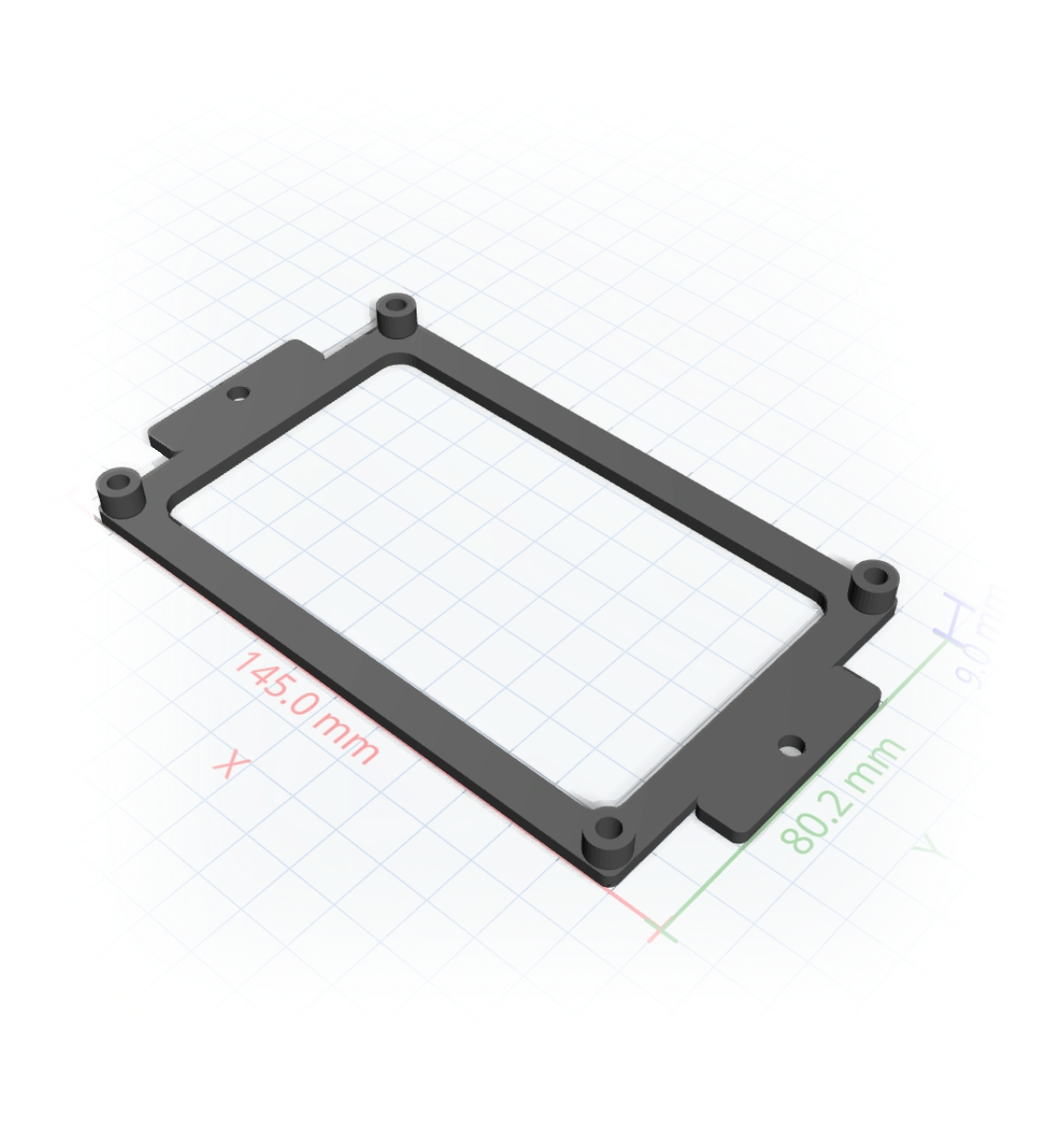
En réflexion...
The learning curve
You need a bracket with the right hole spacing, an enclosure that fits a known board, a replacement clip. The geometry is trivial, but sketches, constraints, extrudes, and fillets stand between you and a printable file. Most makers give up before the first print.
So we removed the software. You describe the part. The AI compiles it, to real millimetres.
How it works
Say what it is, the dimensions, the hardware it must fit.
Every measurement becomes a slider, and tweaking is free.
A slicer-ready 3MF or STL, 1:1 in Bambu Studio or Prusa.
Real measurements
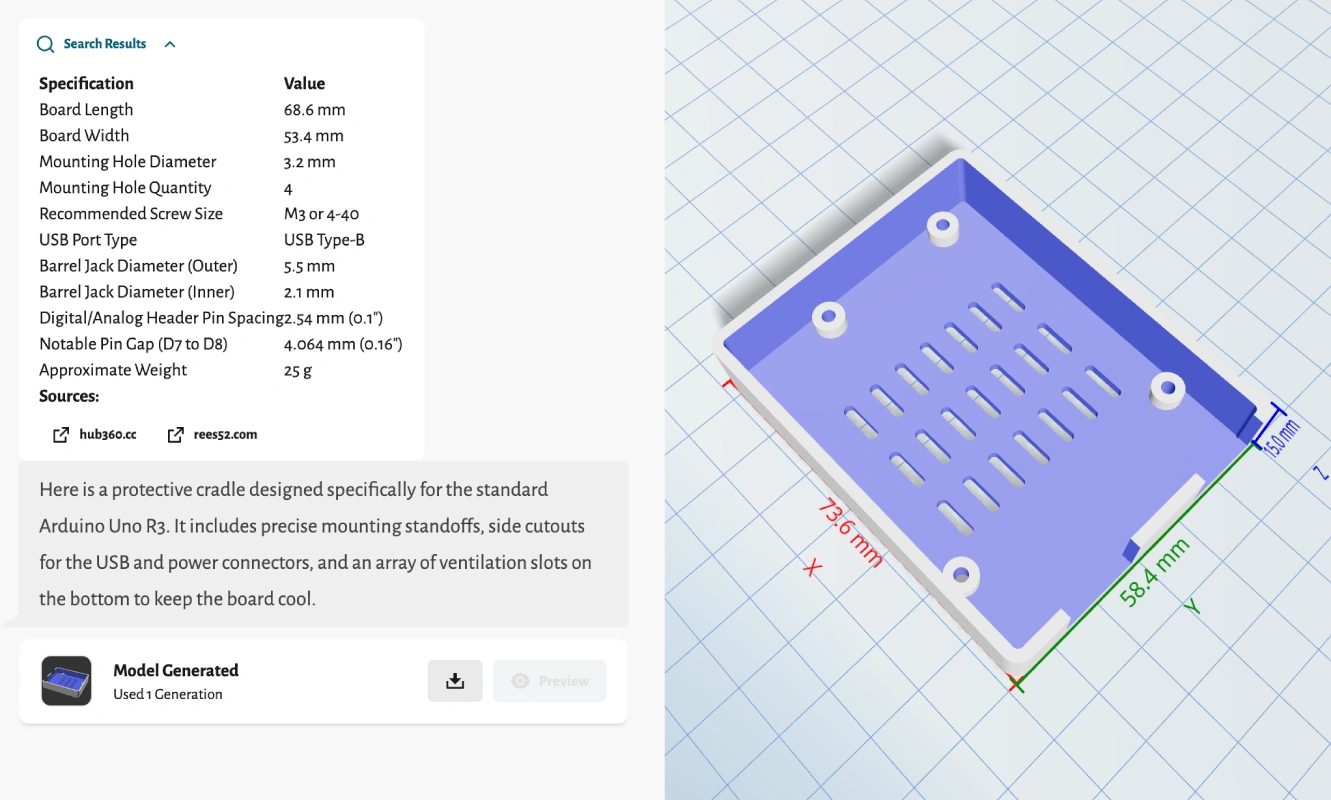
Ask for a case that fits a specific board and it looks up the spec, lays out mounting standoffs and connector cutouts, and shows the dimensions right on the model before you download.
One tool, the whole job
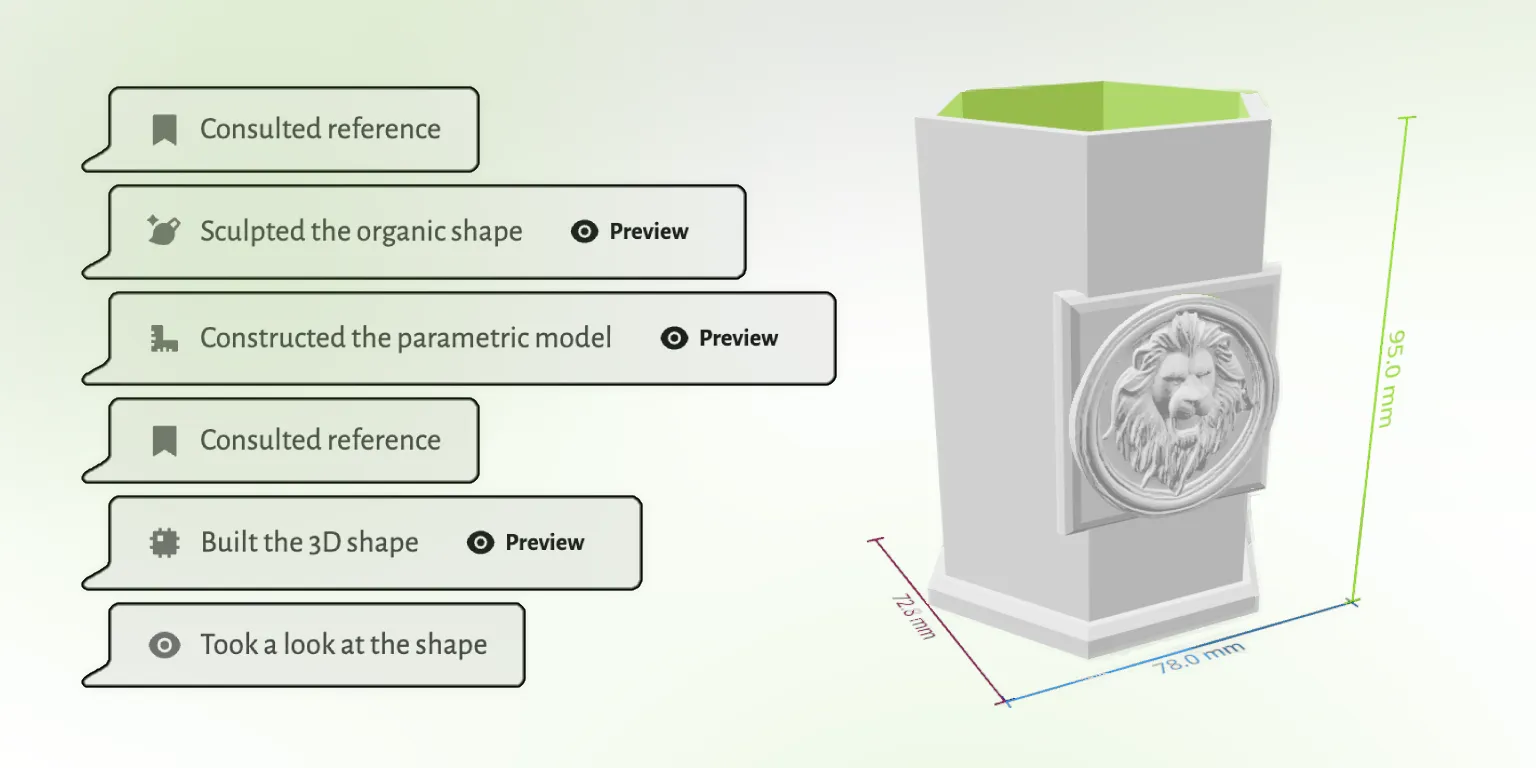
Modeling, editing, mesh repair, and export usually mean three or four programs. GrandpaCAD does the whole job in one chat, and checks its own work before it hands you the file.
Traditional CAD software is powerful and worth learning if you'll use it every week. If you just need the part, there's a faster road.
 GrandpaCAD GrandpaCAD | Fusion 360 | Tinkercad | OpenSCAD | |
|---|---|---|---|---|
| Time to first part | 60 seconds | 40+ hours to learn | A few hours | Learn to code |
| Precise dimensions | Yes, to the mm | Yes | Rough | Yes |
| Organic shapes | Yes | Hard | No | Very hard |
| Cost | From $0.34/part | $60+/mo | Free | Free |
Open any model in the public library and tell the AI what to change. No account needed to look around.
Apprécié par les makers
Retours non modifiés issus de l'invite d'évaluation dans l'application. Nous n'affichons que le pays pour préserver l'anonymat des makers.
"generated a printable design on the first try!"
"Fast easy and good quality"
"It's working good. Grandpa!"
"yay so fun"
Extraits de véritables réponses aux enquêtes CSAT dans l'application GrandpaCAD.
Cet outil a été créé pour mon grand-père qui adore l'impression 3D mais a du mal avec les logiciels de modélisation complexes. Il ne parle pas anglais, ce qui rend la plupart des outils de conception 3D inaccessibles pour lui.
Malgré ces défis, il est passionné par la création d'impressions 3D pour notre famille. Il utilise son imprimante BambuLab A1 et peut désormais facilement créer des modèles personnalisés en décrivant simplement ce qu'il souhaite.
Lire son histoire
Une génération, un prix
Les autres outils d’IA facturent des crédits : un seul modèle devient alors une accumulation de frais dont le tarif varie selon le forfait. Nous comptons simplement les modèles entiers, et les ajustements sont gratuits.
Et la valeur d’un crédit varie selon chaque forfait.
GrandpaCADAvec un forfait. Environ 0,48 $ avec un pack ponctuel. Pas besoin de calculer les crédits.
Tous les forfaits génèrent les mêmes modèles avec la même qualité. La différence réside dans le nombre de modèles que vous générez et le niveau de contrôle souhaité. Modifier un modèle terminé avec les curseurs ne compte jamais comme une génération.
Juste pour vous faire une idée. Le résultat est d’une qualité identique à celle de tous les forfaits payants.
Pour un seul projet. Un nombre fixe de générations, sans frais récurrents.
Pour les utilisateurs avancés qui veulent la plateforme complète et plus de générations qu’ils n’en utiliseront vraisemblablement.
For most makers, the easiest CAD is no CAD: describe the part in a chat and let the AI model it. Tinkercad is the easiest traditional option but tops out quickly on precision. Fusion 360 and OpenSCAD are powerful, and both take weeks to get productive in.
Yes. Tinkercad, OpenSCAD, and FreeCAD are free, and Fusion 360 has a hobbyist license. GrandpaCAD gives you 3 free generations with no credit card, so you can compare the describe-it route against learning a tool before spending anything.
Yes. Give dimensions in your message and they land in the model as real millimetres. The AI also looks up specs for known hardware (boards, screws, bearings) and applies FDM-friendly tolerances so printed holes and fits come out true.
A 3MF or STL that loads 1:1 in Bambu Studio, PrusaSlicer, and Orca. OBJ, GLB, and GLTF exports are there too if you need them.
You iterate in the same chat: point out what's off and it regenerates. Every dimension is also exposed as a slider, and slider tweaks never cost a generation.
3 free models, no credit card. GrandpaCAD models it while Fusion is still installing.