Crop before you attach
The print keeps your photo's proportions and doesn't crop it. Cut it to the shape you want first. A panorama suits a lamp shade, while a normal photo wrapped into a cylinder comes out tall.
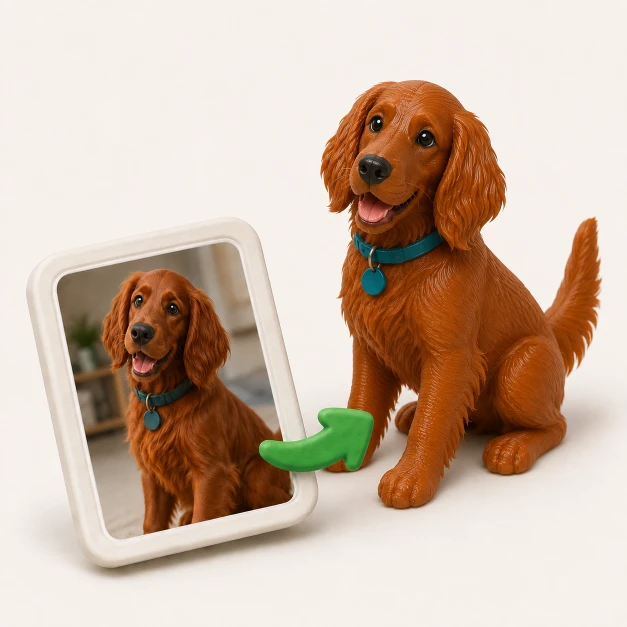
Attach your JPG and say what it should become. A lithophane shows the photo when it's lit from behind, and a figure in a photo can become a figurine.
3 free generations, no credit card. Downloads need a pack from US$12 or a plan.
A family photo, a pet, a landscape. Phone photos come in the right way up. It stays in your browser until you sign up and send.
A few words are enough, like "make a curved lithophane from this photo". The designer picks the thickness and size or asks you.
Turn the model around, ask for changes in plain words and download the STL or 3MF. A lithophane looks like a grey relief until you light it from behind.
A JPG has no depth in it, only brightness. A height map converter turns that brightness into thickness, so a lit cheek ends up at a different height from the dark hair beside it, for no reason to do with the shape of a face. As a sculpture, that's wrong.
As a lithophane it's exactly right. Thick plastic blocks light and thin plastic lets it through, so the photo appears when you put a light behind it. That's where most photos should go. If you want a real 3D object, ask for a figurine and the designer generates one from what the photo shows.
Saying what it is will do: a lithophane, a lamp shade, a figurine. Add any of these if they matter to you.
A lithophane shows every flaw in the photo, so pick it and prepare it with that in mind.
The print keeps your photo's proportions and doesn't crop it. Cut it to the shape you want first. A panorama suits a lamp shade, while a normal photo wrapped into a cylinder comes out tall.
Clear lights and darks read well when backlit. A flat, hazy photo stays flat and hazy, so raise the contrast a little first if you can.
Each time a JPG gets re-saved, compression adds blocks and speckle, and in a height map those become real bumps. Use the file from your camera or phone, not a copy that went through a messaging app.
Put an LED panel or LED strip 3 to 5 cm behind a flat lithophane, or an LED tea light inside a cylinder. Never a real candle, because PLA softens at about 60 °C.
If a plain lithophane is all you want, you don't need us. All three of these are free.
Made for lithophanes, in the browser, with plenty of shapes to pick from.
A slicer that opens a JPG directly. Handy if you already use it.
Free and much more capable, with a real learning curve.
They do different jobs. Pick by what your photo has to turn into.
 GrandpaCAD | Lithophane makers | Blender | |
|---|---|---|---|
| What you get | The part you described | A lithophane from a template | Whatever you build by hand |
| Figurine from a photo | Say so in the message | No | Sculpt it yourself |
| Change it later | One sentence | Convert again | Back into the editor |
| Skill needed | None | None | Some to a lot |
| Price | 3 free generations, downloads from US$12 | Free | Free |
Unedited feedback from the in-app rating prompt. We only show country to keep makers anonymous.
"generated a printable design on the first try!"
"Fast easy and good quality"
"It's working good. Grandpa!"
"yay so fun"
Pulled from real CSAT survey responses inside the GrandpaCAD app.
Partly, and I'd rather say so up front. Your first 3 generations are free with no credit card, so you can see your photo built and turn it around in the 3D viewer. Downloading the STL needs a pack from US$12 or a plan. If a plain lithophane is all you want, ItsLitho and Cura do that for free, and the steps are on this page.
A thin plate whose thickness follows a picture. It looks like a grey relief in normal light, and the photo appears when you light it from behind, because thick areas block the light and thin ones let it through.
Standing up as delivered, with a brim on a flat plate. Use 100% infill, or the infill pattern shows through, and fine layers of 0.1 to 0.12 mm. White PLA works best, since coloured filament tints and darkens the picture.
It'll look like a figure based on the photo, not a scan of the person. One photo can't show the back of a head, so the generator fills in what it can't see. It works best on a clear, whole subject.
Not much for a photo. A JPG is fine as long as it hasn't been re-saved many times. For a logo or a drawing, use a PNG, since JPG compression leaves speckle around sharp edges and that speckle turns into bumps in a height map.
Not directly. Its surface() function only reads PNG images, so save the photo as a PNG first.
About 1000 px across is plenty for a 100 mm lithophane. The model is sampled roughly every 0.2 mm, so extra pixels stop helping after that. We use up to 2048 px on the long side.
Yes. You can download STL, 3MF, OBJ, GLB and GLTF. For a one-colour print either works, and a 3MF is smaller and keeps real millimetres.
No. It runs in the browser and you never touch a CAD program. The STL opens in Bambu Studio, PrusaSlicer, Orca and any other slicer.
3 free generations, no credit card. See your part in 3D before you pay anything.