





Something broke, I need a part by tomorrow
- Snapped fridge drawer rail clip
- Cabinet hinge with the right screw spacing
- Vacuum nozzle adapter between two pipe diameters
- Custom washer with a non-standard inner diameter
GrandpaCAD2.0Beta
Type "M5 mount, 32 mm spacing, fits a 0.4 mm nozzle" and you get dimensional CAD. Ask for a dragon, you get sculpting. Ask for both, the agent welds them into one printable file.
CAD, sculpting, texturing, mesh repair, inspection. One chat. One file. You describe. It compiles.
Three free generations. No card. The fourth one is when you decide.
Overview
Skim the list. Tap a card to jump to the detail.
Dimensional CAD and free-form sculpt, fused.
Plans, runs, inspects, refines.
The agent looks at the model. Then fixes it.
Stack commands, land somewhere new.
Drop a sketch, iterate to the part.
Smooth, simplify, hollow, repair.
Numbers, dropdowns, colors, palettes, groups.
Fully textured 3MF, or segmented for the AMS.
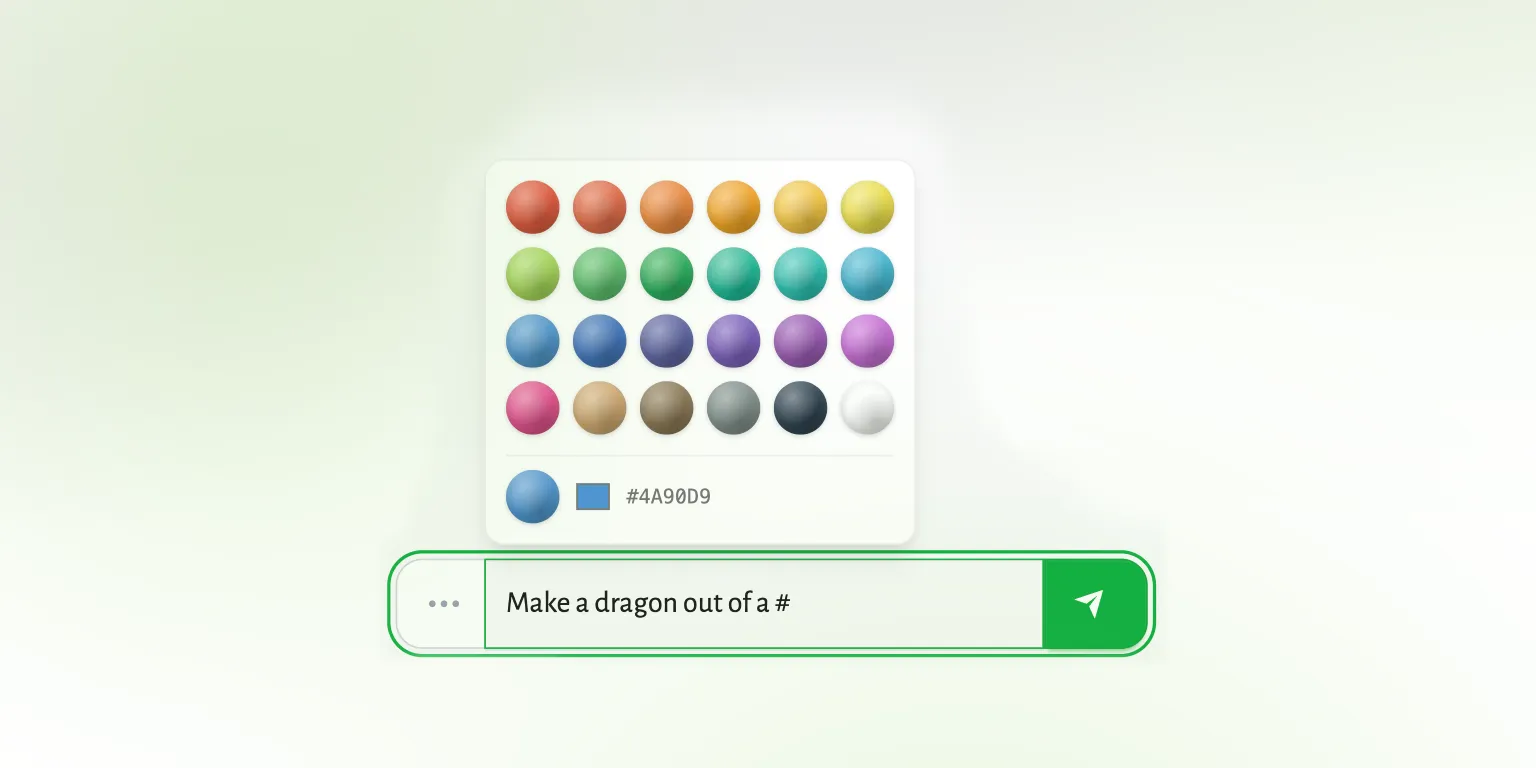
Type # and it appears.
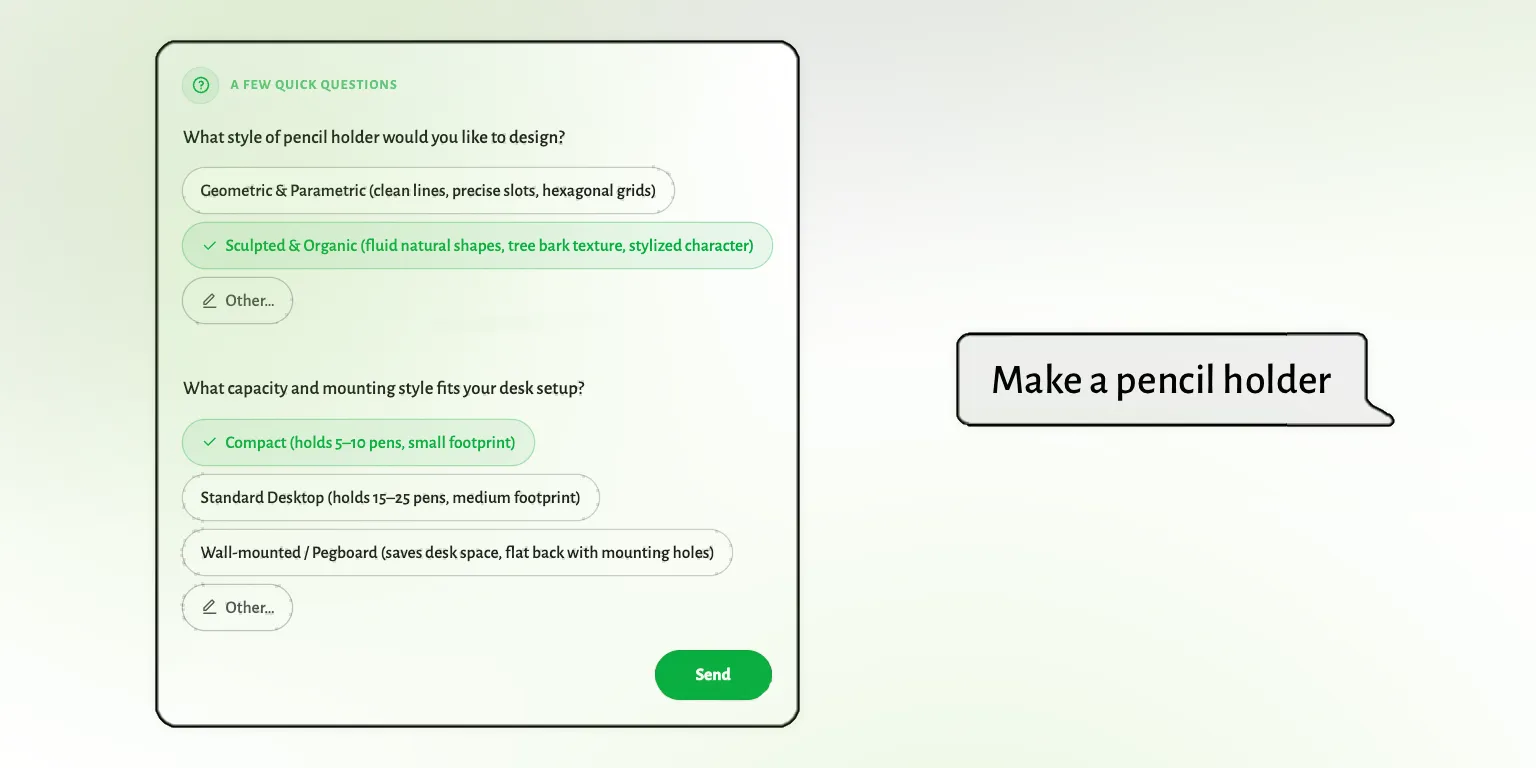
Short question, editable plan, then it runs.
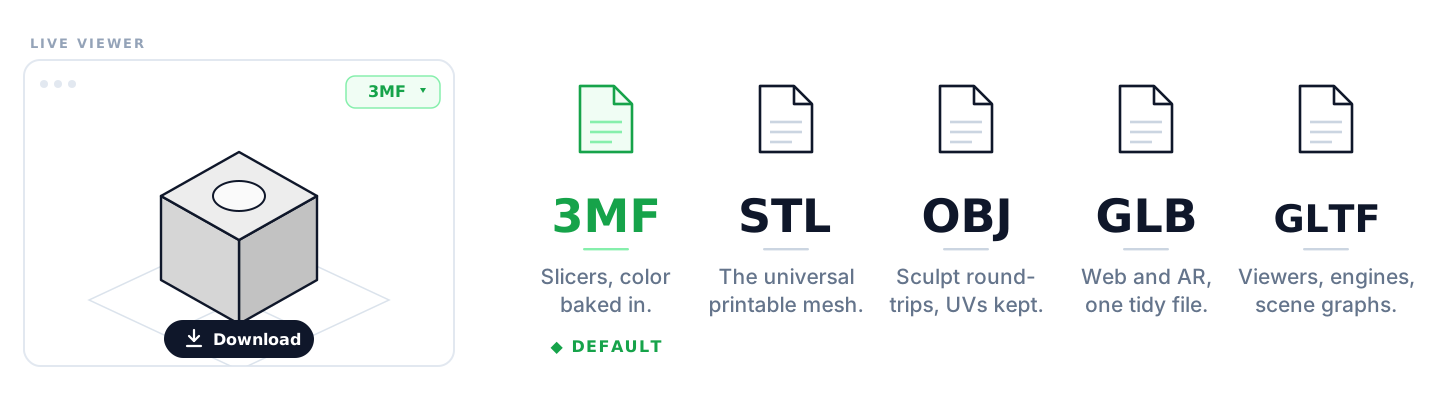
3MF, STL, OBJ, GLB, GLTF.
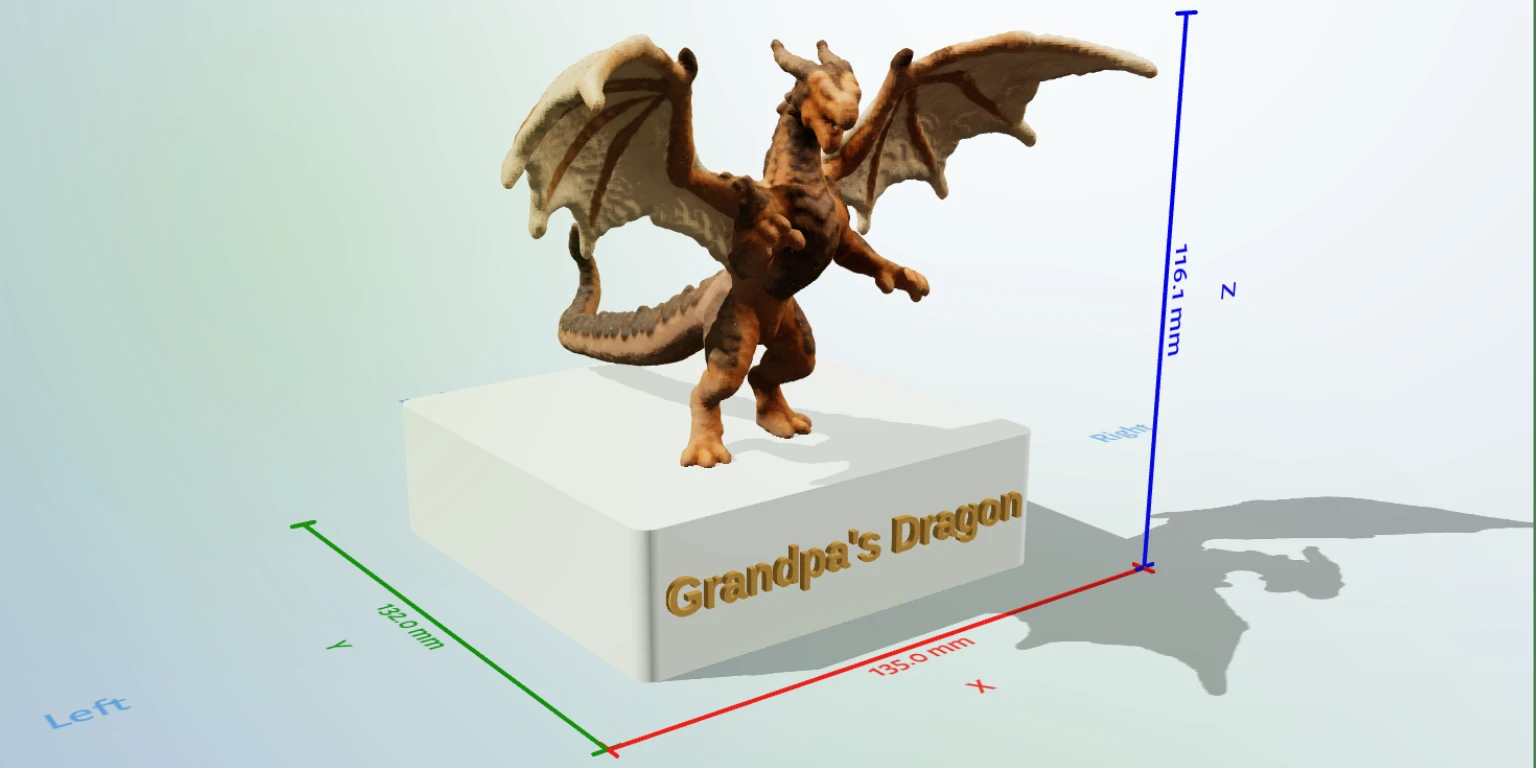
100 × 100 × 30 mm pedestal. In one go.The agent fuses dimensional CAD with free-form sculpting in one build. Ask for a dragon on a 10 × 10 × 3 cm pedestal: pedestal exact to the millimeter, dragon alive, one printable assembly.
Engineered enclosure, embossed nameplate. Parametric stopper, sculpted figurine. The boring half stays exact, the fun half stays alive.
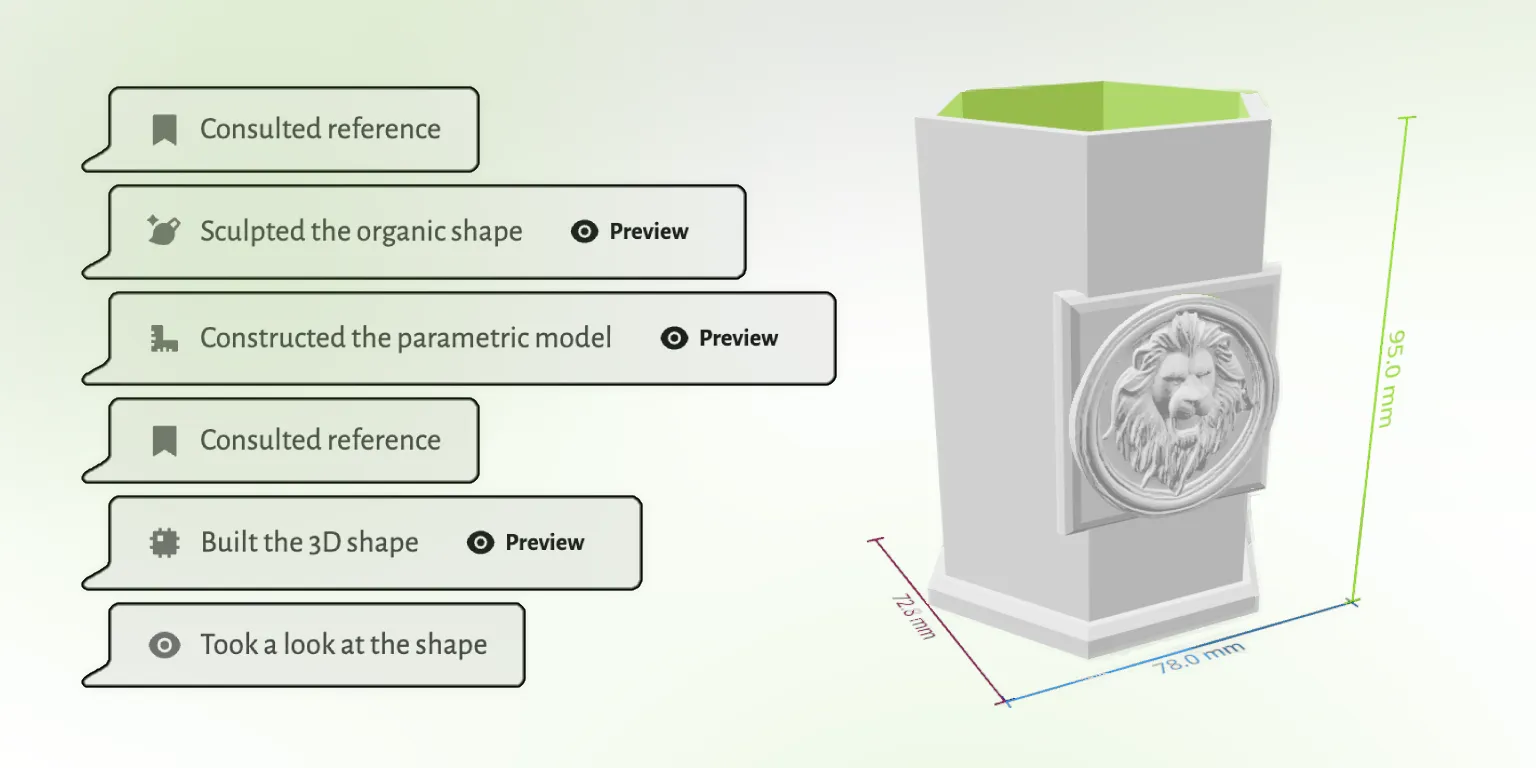
The agent breaks one prompt into steps and runs them in front of you: outline, pick the engine, write the code, render, inspect, refine, segment, export. Each step is a visible tool call.
When something looks off (a wall came back at 0.3 mm, a label clipped) it catches it on the next step instead of waiting for you.
The agent inspects the model from named angles (iso, front, back, left, right, top, bottom). It catches the clipped boss, the unreadable label, the rib that doesn't clear the bracket, and fixes them on the next step.
Scoped to clipping, overflow, interference, legibility. Not stress simulation. A second pair of eyes on the geometry.
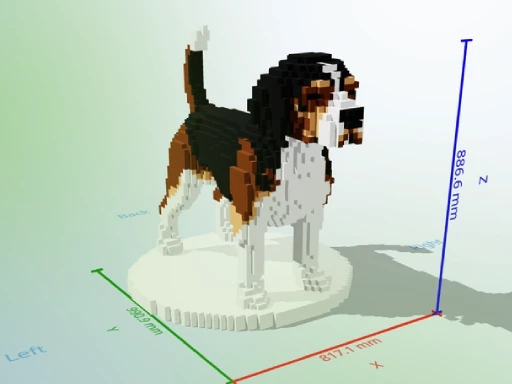
Most prompts are short. But you can also string a few together and land somewhere the first prompt didn't promise. Sculpt a beagle, voxelize it, segment the regions: three sentences, one printable assembly. Below is one of many recipes.
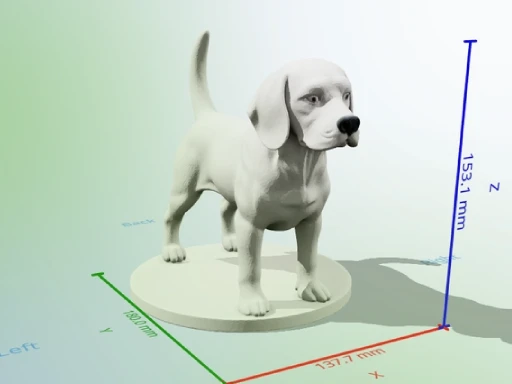
Step 1
Describe the dog or hand over a reference photo. The agent sculpts a mesh, alive and detailed.
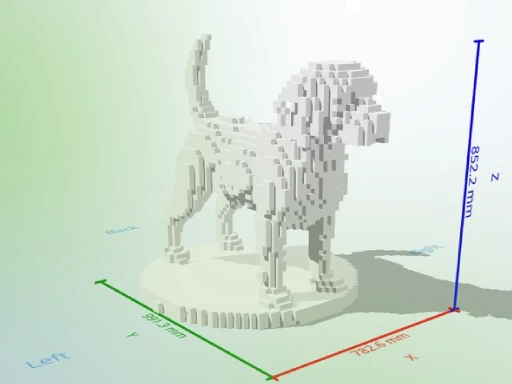
Step 2
The mesh becomes a clean printable volume. Thin features survive. The geometry stays manifold and slicer-clean.
Step 3
Body, ears, muzzle, tan patches. Each region gets its own material slot. Open in Bambu Studio and assign filaments.
Drop a dimensioned sketch, a spec drawing, a caliper photo, or a family photo for a lithophane. The agent reads what it can and starts the build. The first render is rarely the final part: callouts are easy to misread, scales are easy to lose, and you'll usually nudge the dimensions across two or three turns before they match the bench.
Treat the image as a starting point, not a one-shot to a finished file. You drive the refinement. The agent does the math each turn.
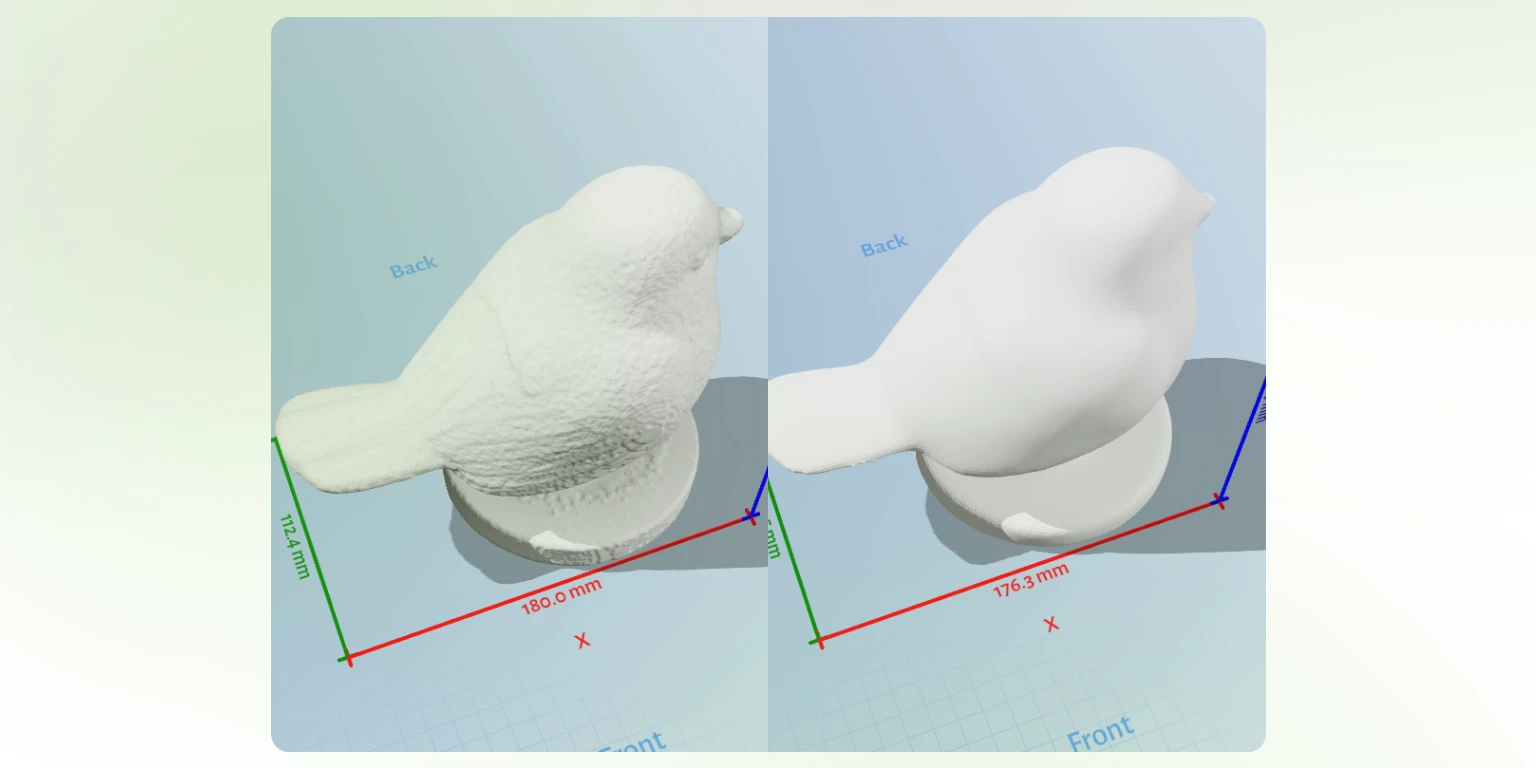
Smooth a sculpt. Decimate a high-poly download. Repair non-manifold edges. Recalculate normals. Add a baseplate. Each operation is a sentence, not a separate app.
The agent quantifies before you spool up: print volume, surface area, thin-face count, overhangs. The numbers come back in the chat.
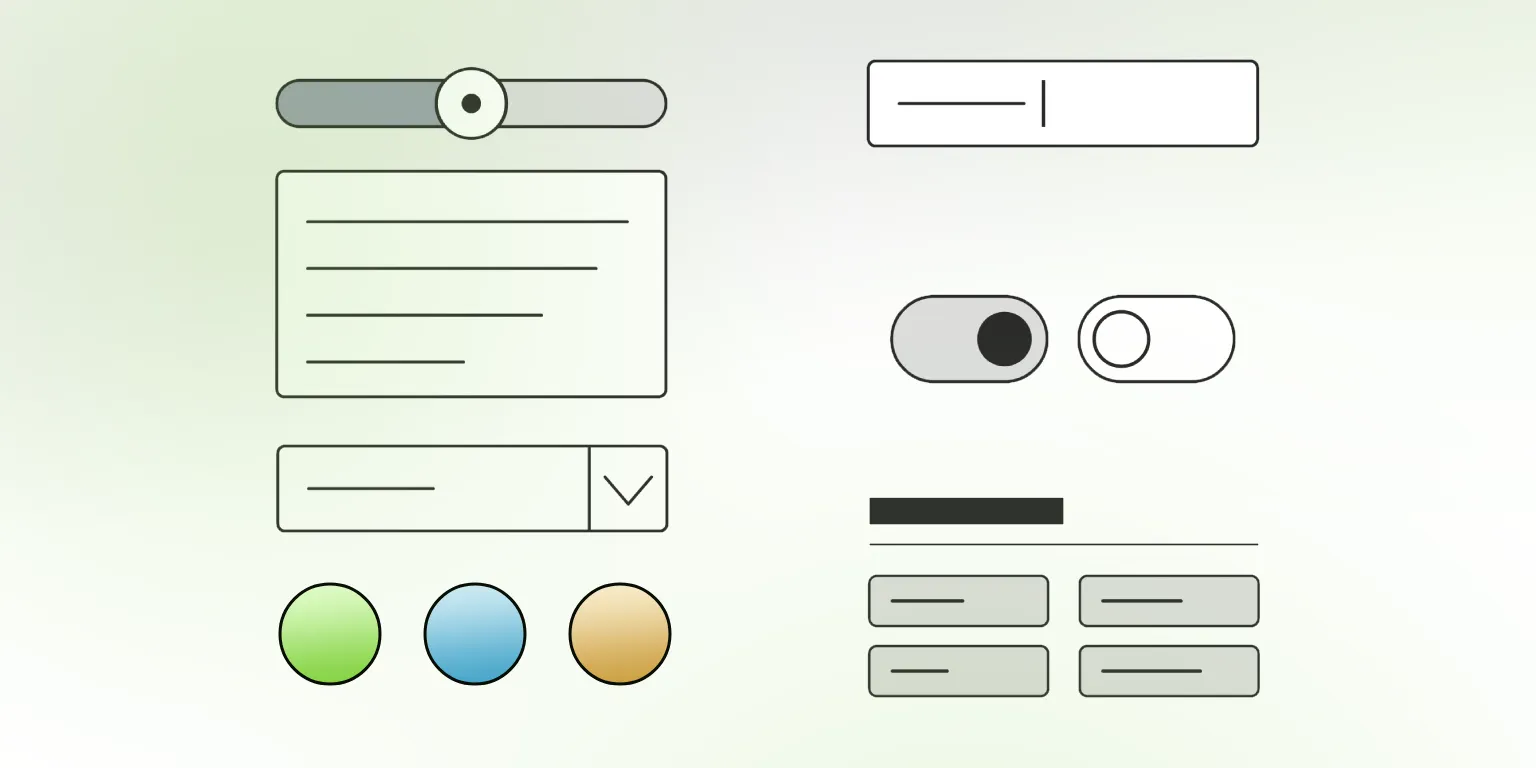
Every dimension you mentioned shows up as a control after the first render. Drag, watch the file rebuild. The fillets stay legal. Slider tweaks don't count as generations, so drag for an hour and it doesn't cost you anything.
And the controls are not just sliders. Numbers for dimensions, dropdowns for fit type, single colors for trim, palette sets for multi-filament, checkboxes for optional features, grouped panels so a big assembly reads like a control surface.
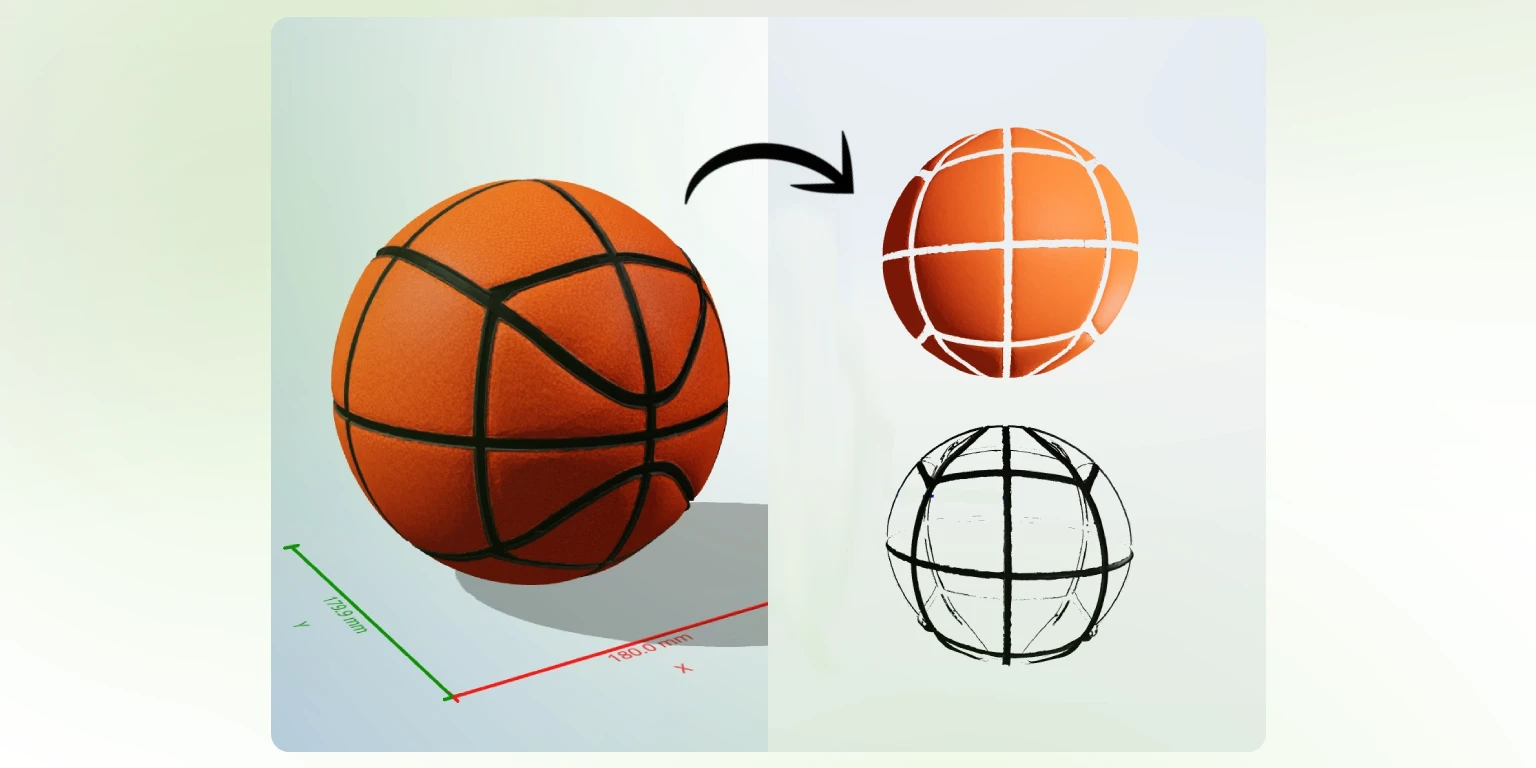
By default the 3MF lands fully textured: the color is baked into the file and Bambu Studio, Prusa Slicer, OrcaSlicer, and the chat viewer all render it in full color. A full-color resin printer slices it as-is.
Loading filament instead? Ask for segmentation and the same model converts to a segmented 3MF, one slot per region, ready for the AMS. Same chat, two outputs, the file you asked for.
#. The color picker appears.Type # anywhere and a swatch grid lands next to your caret. Pick a color, keep typing and add another color if you want. Your model will be guided by the colors you picked.
If the prompt is ambiguous (M5 press-fit or M5 clearance? a standoff or a thru-bolt?) the agent asks one or more short multiple-choice questions before it commits to anything. Pick an answer and the build continues with the right number baked in.
3MF by default, ready for Bambu Studio, Prusa Slicer, OrcaSlicer at 1:1. Need STL, GLB, GLTF, or OBJ? Ask. The file ships in the format you asked for.
The chat viewer auto-detects what you drop in. The download button hands over what the build produced.
Built on top
The new layer is the thinking. The layer underneath is the chat you already knew: every message editable, every state revertible, every build forkable. The agent stops being scary when you can always step back.
Change a number on message four. Messages five through ten re-flow from the edit.
The version that worked stays the version on disk. Bad turn, one click away from gone.
Fork the build into a parallel branch. The original keeps working; the experiment lives next door.
What makers are building
Each tile is something a maker has actually shipped to the build plate. The full menu is longer. This is the taste.
Things that make a maker exhale
The model arrives manifold, watertight, and ready for the slicer. Bambu Studio loads it 1:1.
Tolerance and clearance are first-class words in the build. Say them and they stick.
A 0.4 mm wall stays a 0.4 mm wall after every iteration.
Pass a 0.4 mm nozzle as a constraint. Walls round to a multiple of 0.4 mm.
A four-filament print arrives pre-segmented, one material slot per region.
Edit message four. Messages five through ten re-flow from the edit point.
"Make the wall 0.5 mm thicker" lands as a slider tweak, not a regeneration.
Type # in a message. The color picker appears next to your cursor.
Only the dependent tool calls re-run when you move a knob. The rest stays put.
Drop a 3MF you found online. The agent inspects it and tells you what's wrong.
Drag in an STL, 3MF, OBJ, GLB, or GLTF and the agent views it, measures it, and edits it: carve an M5 insert pocket, add the baseplate it arrived without, clean up a seam. Simple ops land cleanly; dense imports may still need a follow-up turn.
Honest boundaries
Trust by subtraction. Better to say it here than to have you find it on the print bed at 11 pm.
Not a one-shot generator for complex assemblies. The first build is a draft. You refine it through follow-ups, sliders, and the agent's self-checks.
Editing dropped-in meshes is in early access. Simple ops land cleanly. Complex edits on dense imports may still need a follow-up turn.
Not a STEP, IGES, or parasolid exporter. The output is printable mesh (3MF, STL, OBJ, GLB, GLTF), not BOM-ready CAD.
Not a slicer. You still pick the filament, the bed, and the print profile.
Not finite-element analysis. The agent does not stress-test or simulate motion under load.
Not a substitute for measuring. The file is only as accurate as the dimension you typed or the spec drawing you handed it.
Pricing, the short version
Slider tweaks don't count as generations. Drag the knob as many times as you want. The counter doesn't move until you ask for new geometry.
3 generations, no card
Enough to confirm the agent gets you to a printable file. The cliff after the third generation is real, and we'll say so.
One-off projects, valid one year
Starter $12, Plus $22, Pro $45. Buy once. Fix the one cabinet hinge. Never see a subscription page.
For weekly printers
$24 per month, 70 generations included, private models, commercial license, multiple workspaces. 26% off yearly.
One more thing
A printable booklet of the vocab makers use at the bench: clearance, fillet, chamfer, standoff, captive nut, lithophane, hot-end. Skim it once and your prompts land closer to the file you wanted on the first try.
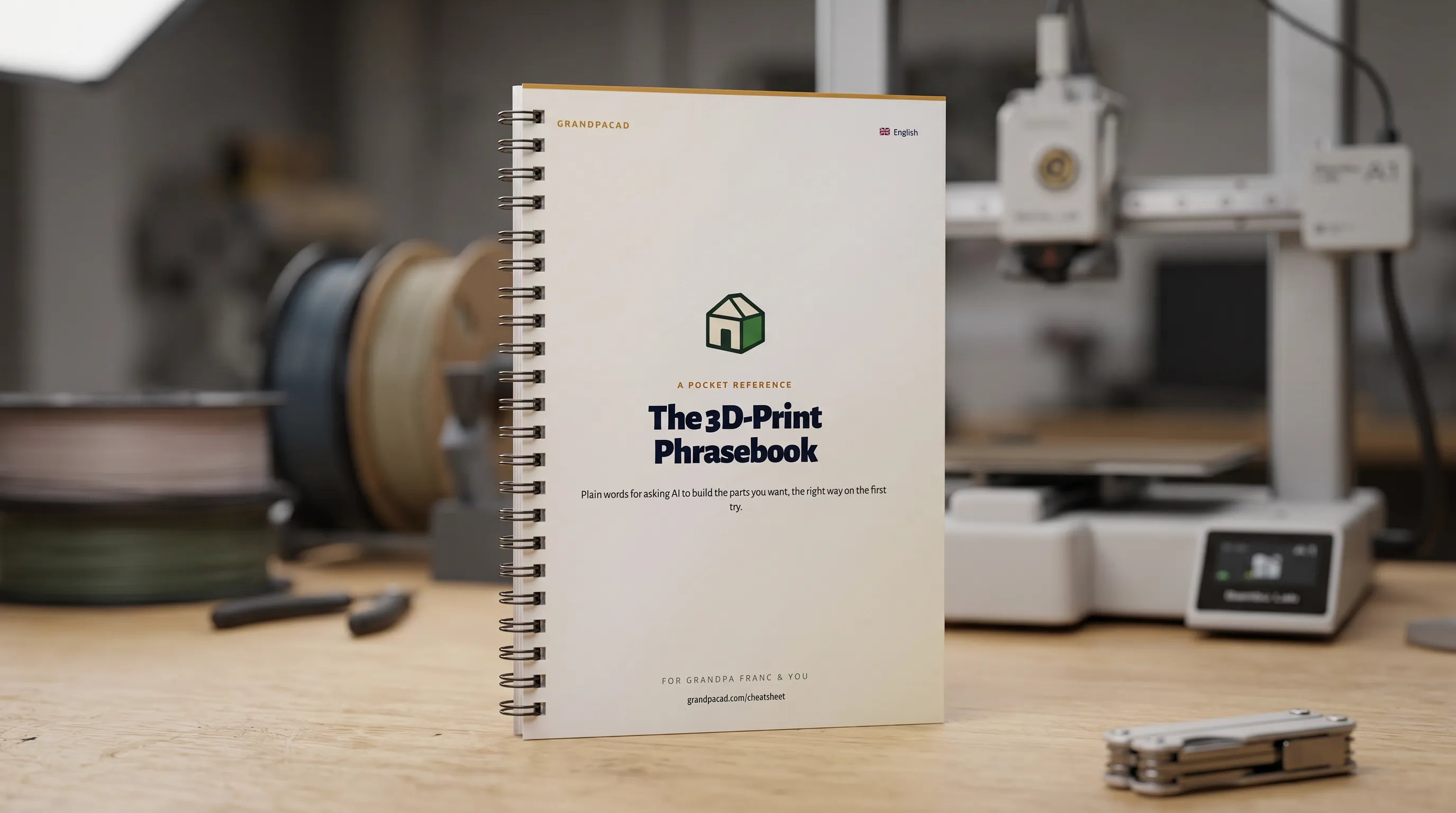 Open the cheatsheet
GrandpaCAD 2.0. Three free generations. No card. You can close this tab and open the chat instead.