Sketch to 3D model: draw your part, add the sizes, print it
Some parts are easier to draw than to describe. Draw yours right in the chat (or snap a photo of a paper sketch), write down the sizes you know, and GrandpaCAD builds a printable 3D model from it. Every size you wrote becomes a slider you can change later.
Drop to attach
sketch.jpg
“”
✓ Ready · STL · 3MF
Parameters
Overall size100 mm
Corner softness5 mm
No CAD skills, no drawing skills
Mouse, finger or Apple Pencil
Your lines stay exactly as you draw them
3 free generations, no credit card
Draw your first partFree to try. Drawing takes a minute, the model about two more.
One real run: a drill bit holder
Here's a real run from start to finish: a block that holds drill bits, one hole per size. You could describe it in words ("120 by 40 mm, five holes from 4 to 12 mm, evenly spaced, and...") but it's quicker to draw, and a drawing leaves less to interpret.
1. Draw it
Start a new chat, open the "…" menu at the left of the message box and pick "Draw a sketch". The pad opens full screen.
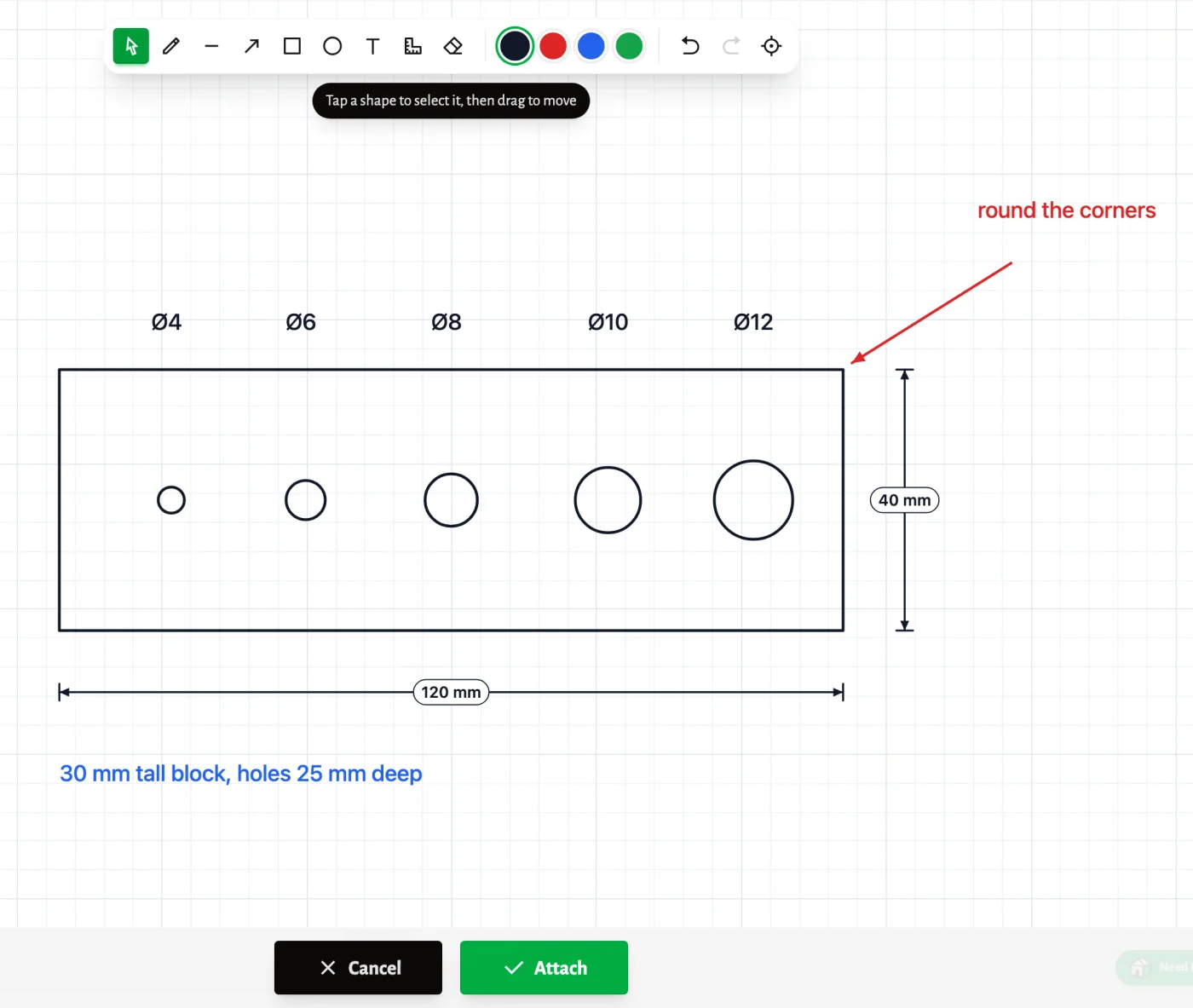
A rectangle for the block. Five circles for the holes (hold Shift and the ellipse tool draws a round one). Then the dimension tool for the two sizes that matter: drag across the block, type 120, and it reads as 120 mm. Text for the hole diameters, a blue note for the height and depth, and a red arrow that says "round the corners".
None of it is drawn to scale. The lines show where things go, and the numbers say how big they are.
2. Attach it and say what it is
Press Attach and the drawing lands in the message box as an image. Then one sentence: "Make this drill bit holder. Flat bottom, printable as is." Send.
3. Get the model, with your sizes as sliders
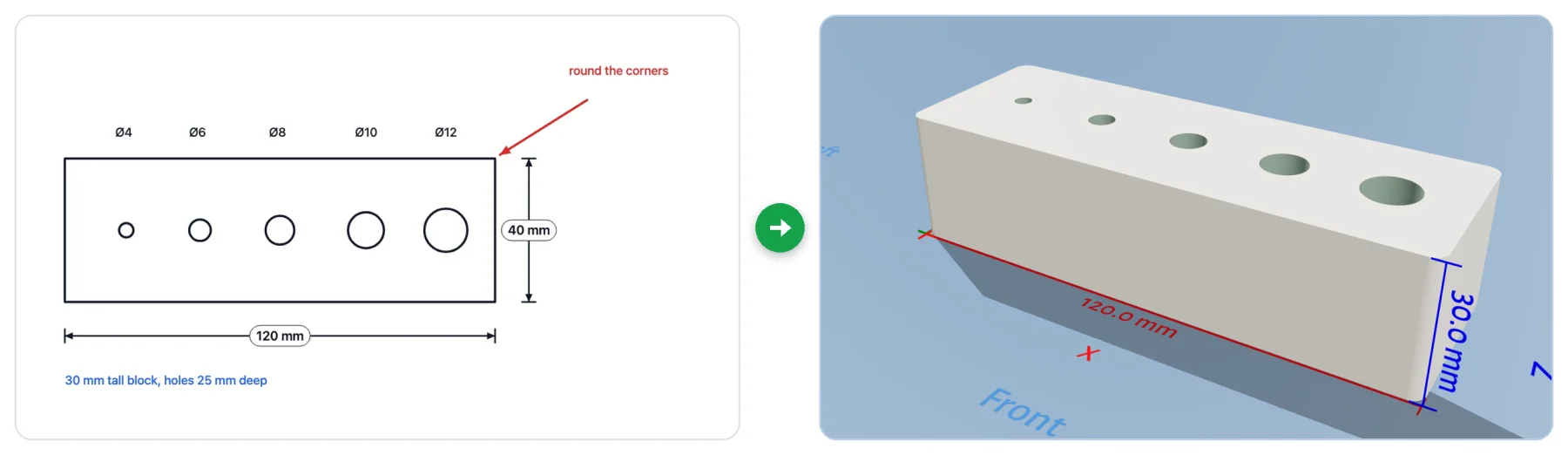
A couple of minutes later the model was in the viewer, with this summary from the agent:
Built to your sketch: 120 × 40 × 30 mm, 4, 6, 8, 10 and 12 mm holes, each 25 mm deep, 5 mm solid bottom, rounded corners with a 3 mm radius.
It read every number off the drawing, the blue note included, and it followed the red one. Nobody gave it a size for the corners, so it picked 3 mm and made that a slider too.
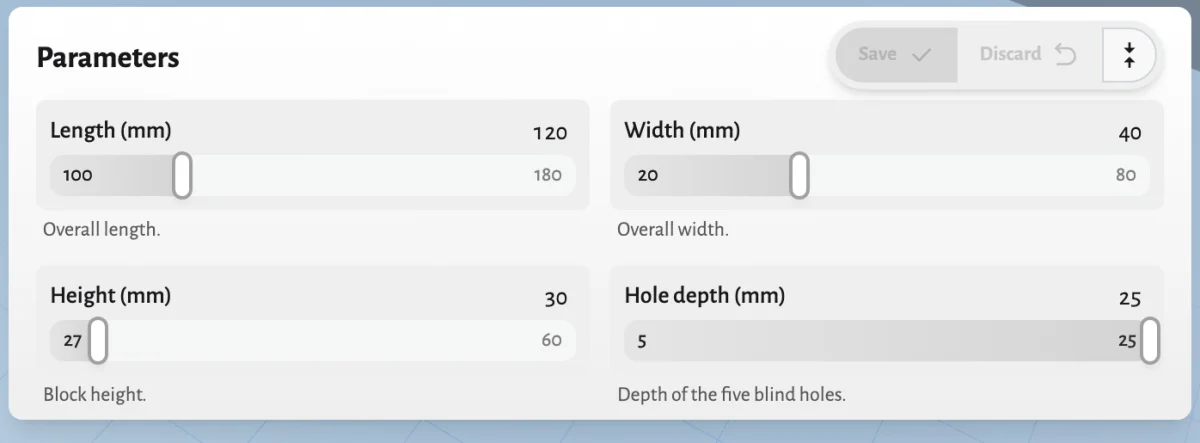
All 11 sizes became sliders: length, width, height, hole depth, corner radius, hole spacing, and one for each hole. Is the 4 mm hole too tight for your bit? Type 4.2 next to its slider and press Save. Sliders never use a generation.
The shape: outlines, holes, slots, and where they sit relative to each other.
The numbers: anything you sized with the dimension tool or wrote as text. These are exact.
The notes, in any color: "round the corners", "this side faces the wall", "M3 screws". A different color keeps notes apart from the outline.
What it doesn't do is measure your lines. A line without a number is a proportion, not a size. So size the things that have to fit and let the agent pick the rest. If something important is missing, it asks before it builds, with a few answers you can tap.
Tips for a sketch that builds right the first time
One view per sketch. A top view for plates, trays and blocks, a side view for brackets, hooks and stands. Say which one it is in your message.
Size what has to fit: the hole for a screw, the slot for a cable, the outside size if it goes in a drawer.
Don't fuss over neat lines. Hold Shift for straight lines, squares and circles if you like, but a wobbly circle with "Ø8" next to it builds the same as a perfect one.
Write down the third dimension. A top view can't show height or depth, and a note can ("30 mm tall, holes 25 mm deep").
Three more ways to sketch
A photo of a paper sketch
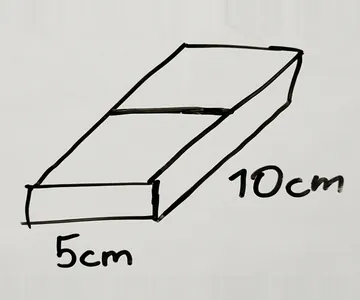
Paper works. The animation at the top is a pen sketch of a tray with "5cm" and "10cm" written on it, photographed and sent with "make this". Attach the photo like any other picture. The image to 3D post has a napkin sketch run, including the two questions the agent asked before building.
Draw on a photo
If you attached a photo of the part you're replacing, the small pencil button on the attachment opens it in the sketch pad. Circle what matters, add the sizes, and the marked-up photo goes in with your message.
Mark up the 3D model
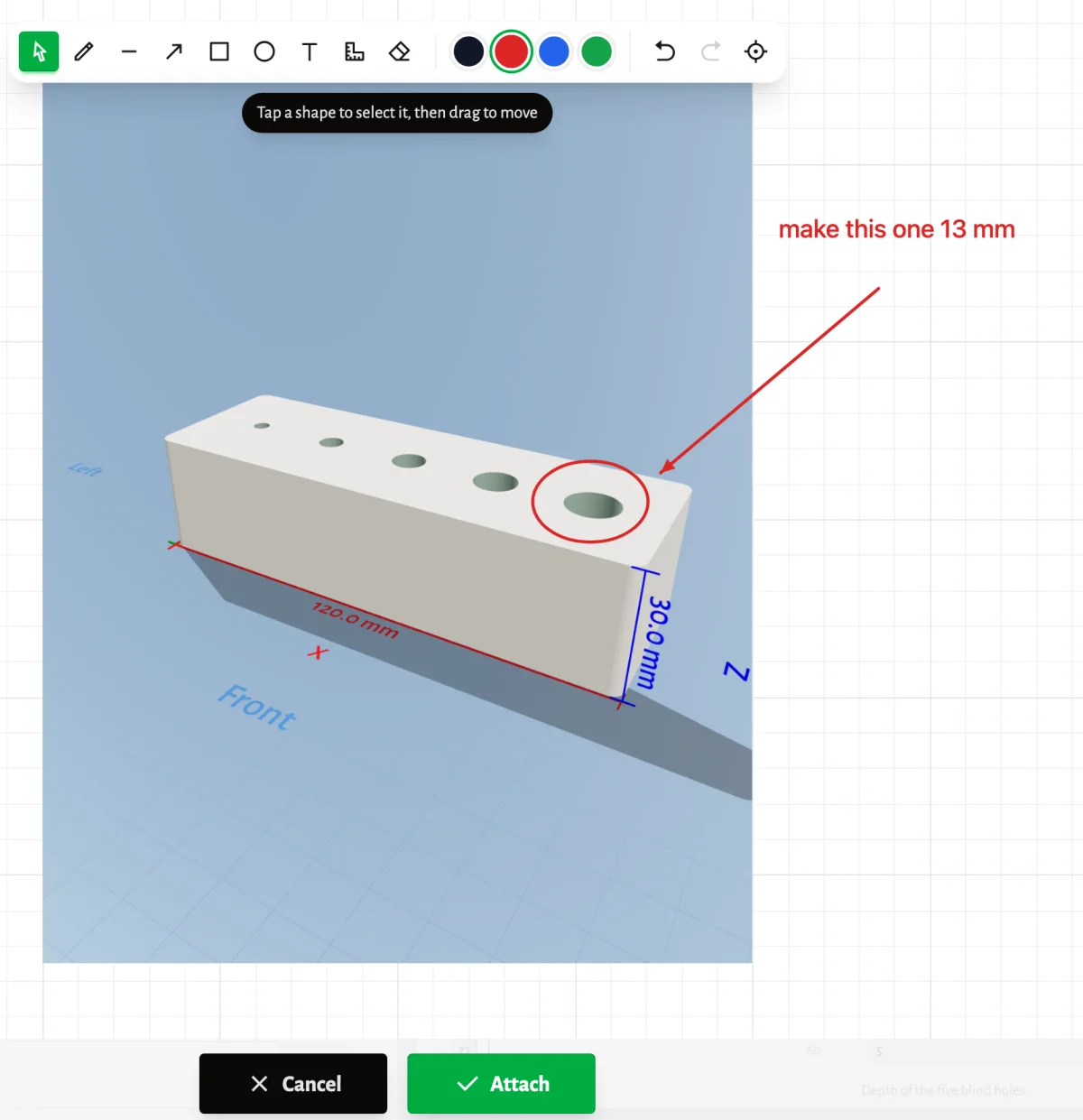
Once you have a model, the pencil button in the viewer's toolbar ("Mark up this view") opens the current view in the sketch pad, with red ink ready. Circle what you want changed, write what, and attach it.
It's the quickest way to say "this one, not that one".
The sketch pad, tool by tool
Tool
Key
What it does
Select and move
V
Tap a shape to select it, then drag it. Edit, duplicate or delete it from the toolbar.
Pen
P
Freehand strokes, kept exactly as you draw them.
Line
L
A straight line. Hold Shift for 15° steps.
Arrow
A
Point at something and put a note next to it.
Rectangle
R
Hold Shift for a square.
Ellipse
O
Hold Shift for a circle.
Text
T
Tap where the text goes and type. Double-tap to change it later.
Dimension
D
Drag across what you want to size, then type the size. "40" means 40 mm.
Eraser
E
Drag over anything to erase it.
There are four ink colors, unlimited undo and redo, and a button that fits the drawing to the screen. Pinch or scroll to zoom. In the chat, it's "Draw a sketch" in the "…" menu at the left of the message box. It opens full screen, on a phone too.
Questions people ask
Do I need to be good at drawing?
No. The agent reads what you meant and the numbers you wrote, not how straight your lines are. Boxes, circles and a few sizes are enough for most parts.
Do I need a tablet or a stylus?
No. A mouse or a trackpad works fine, and so does a finger on a phone. An Apple Pencil works too if you have one.
What if I don't know the exact sizes?
Leave them out. The agent picks sensible sizes and turns them into sliders, so you can fix them afterwards. For anything that has to fit something else, measure it: calipers beat guesses.
Can I sketch a figurine or a character?
You can, but sketches shine on parts with sizes: plates, blocks, trays, brackets, enclosures. For a figurine, a photo or a description usually gets you further.
What file do I get?
STL, 3MF, OBJ or GLB. STL and 3MF open in Bambu Studio, PrusaSlicer, Orca and every other slicer, at the size you drew.
What does it cost?
Drawing is free. Each build uses one generation, and new accounts get three free, no credit card needed. Slider changes are free. Downloading the file needs a pack, from US$12, or a plan.
Draw your first part
Think of the last part you needed and couldn't find: a bracket, a spacer, a holder for the thing that's always rolling off your desk. Draw it, put the sizes on it, and print it tonight.