AI 3D models for game assets, renders and 3D printing
GrandpaCAD started as a tool for people with a 3D printer, and for a long time it assumed every model was headed to one. Ask for a dragon and you got a printable 3MF, sized for a print bed, whether you wanted to print it or drop it into a game.
That's changed. You now tell GrandpaCAD what your models are for, and it prepares every model for that: the file you download, the level of detail, the colors, even what the AI pays attention to while it builds. A game prop comes back as a light, textured GLB. A bust for a product render keeps all its surface detail. A figurine for your AMS comes back as one solid, multi-color 3MF.
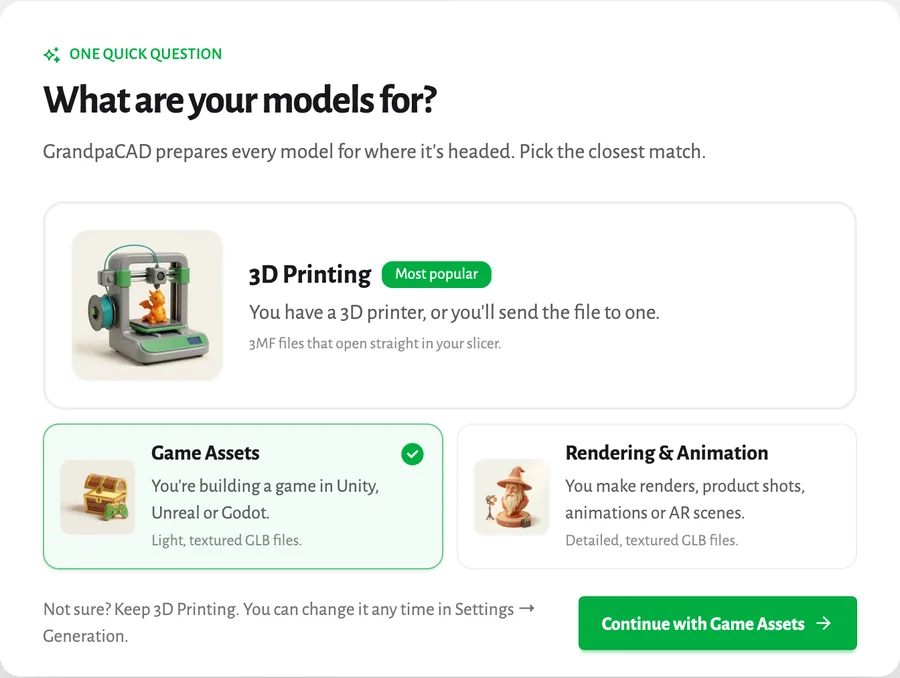
Tell it what your models are for
In Settings, under Generation, you pick what your models are for. Some new accounts are asked the same question when they open their first chat. There are three answers.
| Pick this | If you... | You get |
|---|
| 3D Printing | have a printer, or will send the file to one | 3MF that opens in Bambu Studio, PrusaSlicer, OrcaSlicer and Cura |
| Game Assets | build games in Unity, Unreal or Godot | GLB with a painted texture, light enough for a game |
| Rendering & Animation | make renders, product shots, animations or AR scenes | GLB with full detail and textures, for Blender, Cinema 4D or KeyShot |
Not sure? Keep 3D Printing. It's the default, it's what most people pick, and you can switch any time. The choice is a starting point, not a cage. If you're set to 3D Printing and ask for "a low-poly GLB for my game", that's what you get.
Sculpted figurines and busts, ready to print
Figurines, animals, busts and characters (anything you'd describe by how it looks rather than by its measurements) run on a new sculpting engine. It's the same one in both chats, so everyone gets the upgrade, including the classic chat.
The biggest change is how many models you can print straight away. In my own tests, about 4 in 10 sculpted models used to be printable without fixes. Now it's closer to 8 in 10. It's not perfect yet, but it's a big step.
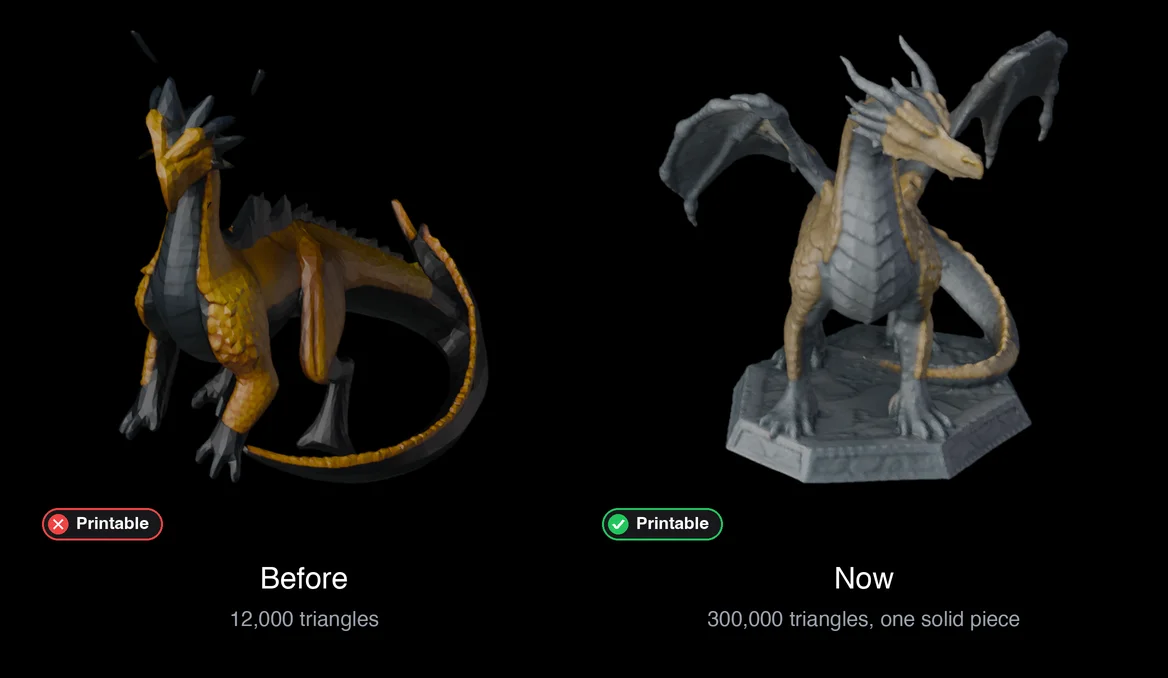
For printing, the defaults are the ones I kept setting by hand:
- More detail. Up to 300,000 triangles, so scales, claws and faces survive on the print bed.
- One solid piece. Stray fragments are removed, because your slicer treats every floating bit as a separate part. The old dragon above had two horn tips hovering next to its head.
- A real size. Models come out 18 cm on the longest side, or smaller if your printer bed is smaller. Ask for "8 cm tall" and it will be.
- Walls you can print. Thin spots like ears, fingers and tails are thickened to at least 1 mm before the model is built.
- Colors for your filament. The model is split into flat color regions, so Bambu Studio and PrusaSlicer put each one on its own AMS or MMU slot without extra work. Ask for more or fewer colors, or give it your own hex colors and it matches the model to your filaments.
Want one color only, for a single-filament print? Just say so. The model comes back with one material and nothing to repaint.
Game assets that drop straight into your engine
Pick Game Assets and a creature, prop or weapon comes back as a GLB built for a game, not a printer.
- A polygon budget. Props land around 8,000 triangles by default. Give it a number, like "5,000 triangles", and it cuts the mesh down to fit. Ask for a hero character and it goes higher, ask for mobile and it goes lower.
- Painted textures. Color lives in a texture map with a normal map on top, so a light model still looks detailed up close.
- Real-world scale. Tell it how tall the thing is and it arrives in your engine at that size, in meters.
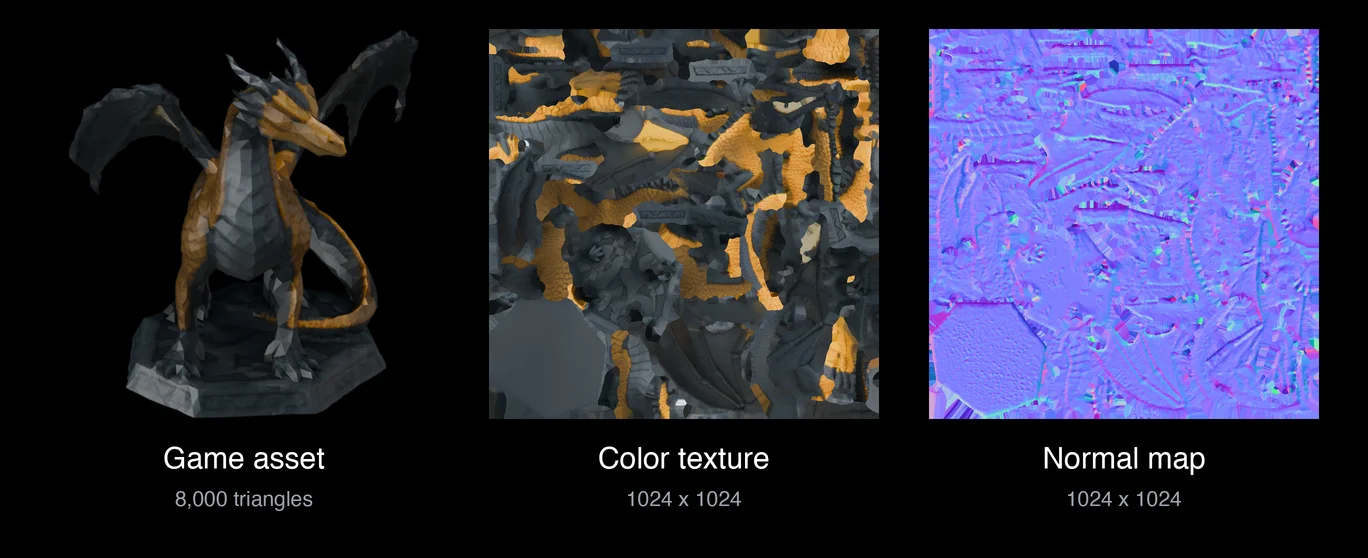
Need the same asset at a different budget or texture size? Ask. GrandpaCAD reuses the shape it already made and rebuilds only what changed, so a second version is quicker than the first.
More detail for renders and animation
Rendering & Animation keeps what printing and games throw away. Loose parts stay separate, the texture goes up to 2048 pixels, and the mesh keeps enough detail for close-ups. That's the setting for detailed busts, statues and product shots you'll light and render yourself.
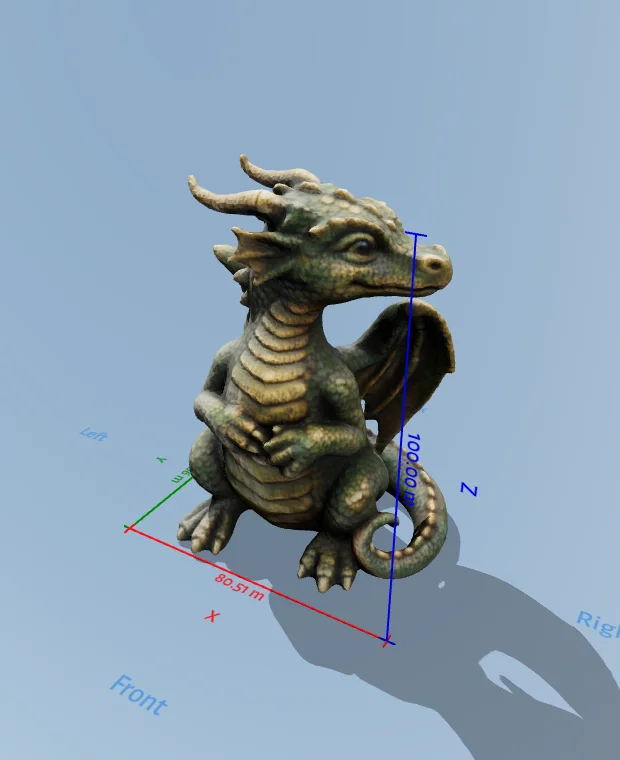
Want even more? Ask for "full detail". You'll get a heavier mesh with the color painted directly onto the surface, which is ideal if you plan to sculpt or relight it in Blender. You can also ask for a simple rig. This part is experimental: sometimes you get a character that's ready to animate, sometimes the rig needs work. When it does work, the GLB keeps it. If you then ask for the same model as a 3MF, it tells you the rig was dropped, since 3MF can't hold one.
Every model, in every format
Whatever your setting, the download menu now converts any model to 3MF, STL, OBJ or GLB. The conversion happens in your browser, so it's instant and your file doesn't go anywhere.
Some formats can't hold everything. STL has no color at all, and 3MF keeps filament colors but not a painted texture. So pick GLB when you want the texture, and 3MF when you want your AMS to know which part is which color.
Fix, resize and remix models you already have
Whatever you picked, you can also bring a file you already own: a Thingiverse download, a scan, a part from your own CAD. Upload it in a chat and say what you want.
- "Make it 120 mm wide"
- "Split it in half so it fits my bed"
- "Add my name to the base"
- "It's full of holes, fix it"
GrandpaCAD measures the file first and tells you what it's working with, like "your file is 120 × 80 × 45 mm, one piece, watertight". Then it changes only what you asked for. Your STL comes back as an STL at the same scale, so it still fits the parts you've already printed. A badly broken mesh can be rebuilt into one clean, printable solid.
How to try it
The printing upgrades to sculpted models are live for everyone, in the classic chat and the new one. Game assets, renders, rigging and editing your own files live in the new chat, part of the GrandpaCAD 2.0 beta, which is open to anyone who has bought a credit pack or a plan. If you're curious how sculpting started, the Organic Mode post has the history, and multi-color 3D printing covers the multi-part side.





